Everything you need to run your framing business. And the tools to grow it.
From fully customizable pricing and project management to lifelike visualization, interactive proposals, and smart features that do the work for you, Virtual Framer is the most complete point-of-sale platform for picture framers. Built to support the way you work and help drive sales.
See how it works
Our strongest features, up close
Short video walkthroughs of the tools that set Virtual Framer apart.
Win more jobs with stunning proposals
Your framing knowledge, at your service
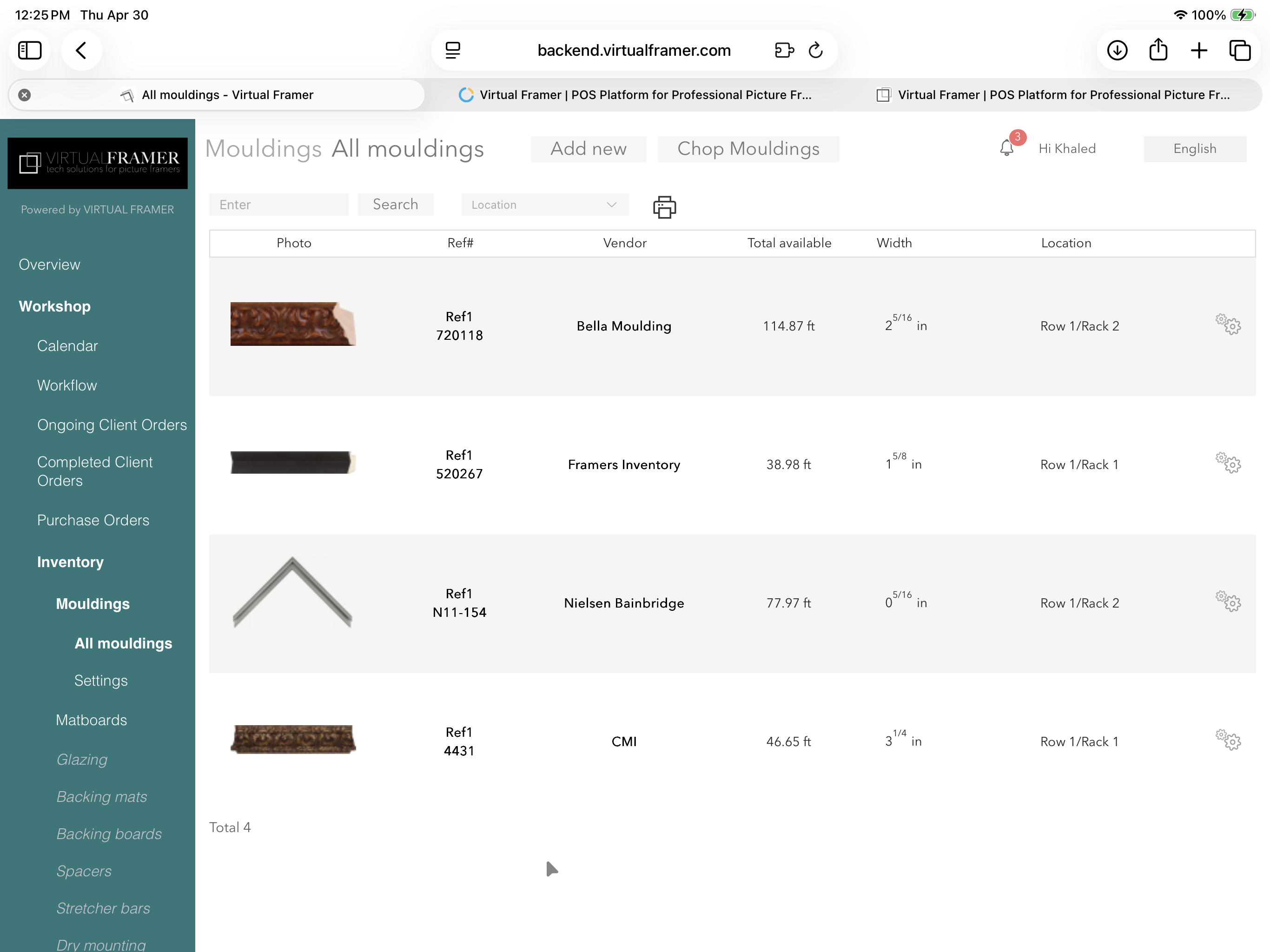
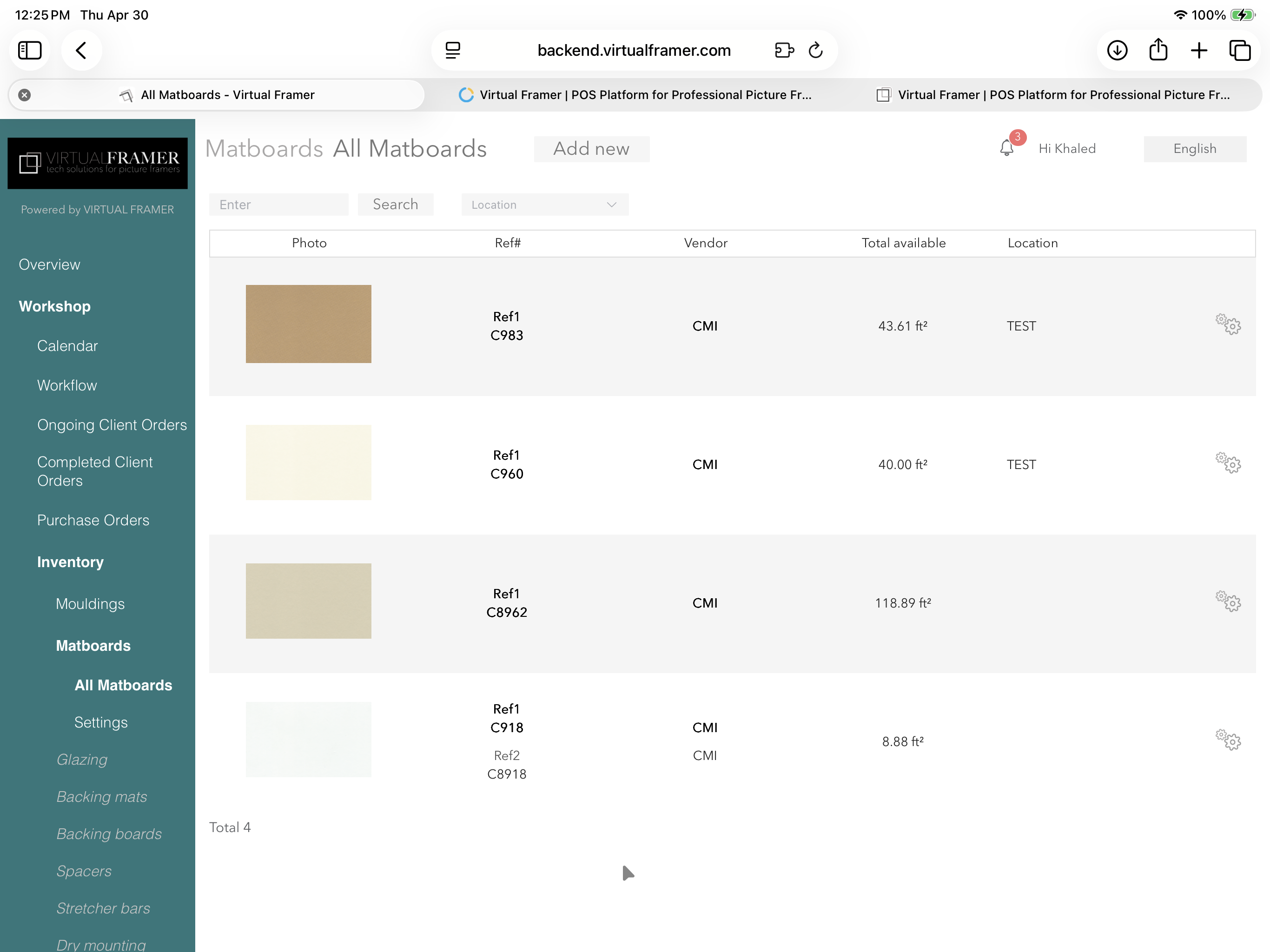
Always know what you have in stock
Sell your artwork, in store and online
The all-in-one POS platform for picture framers
Close more deals with exceptional visualization
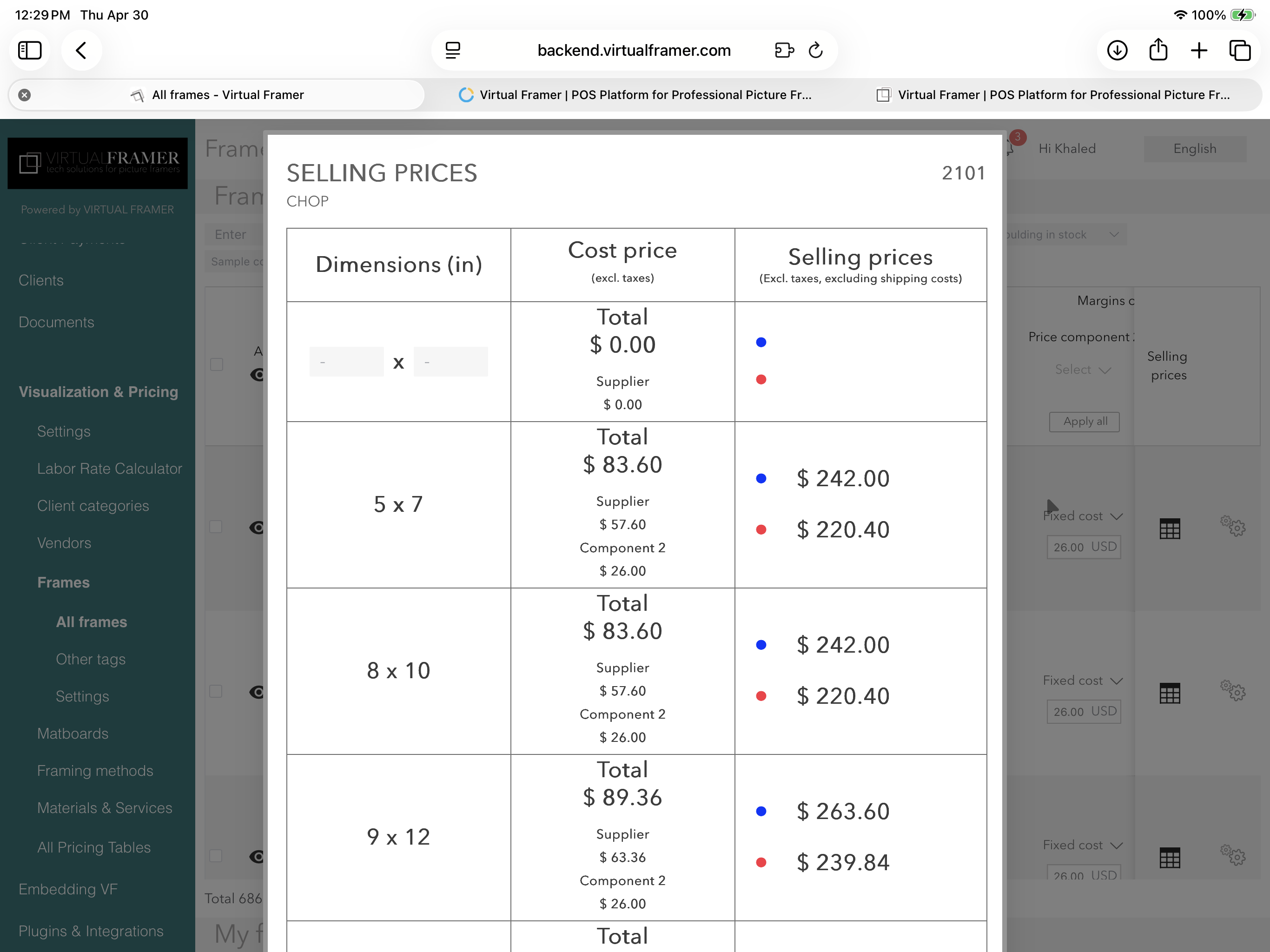
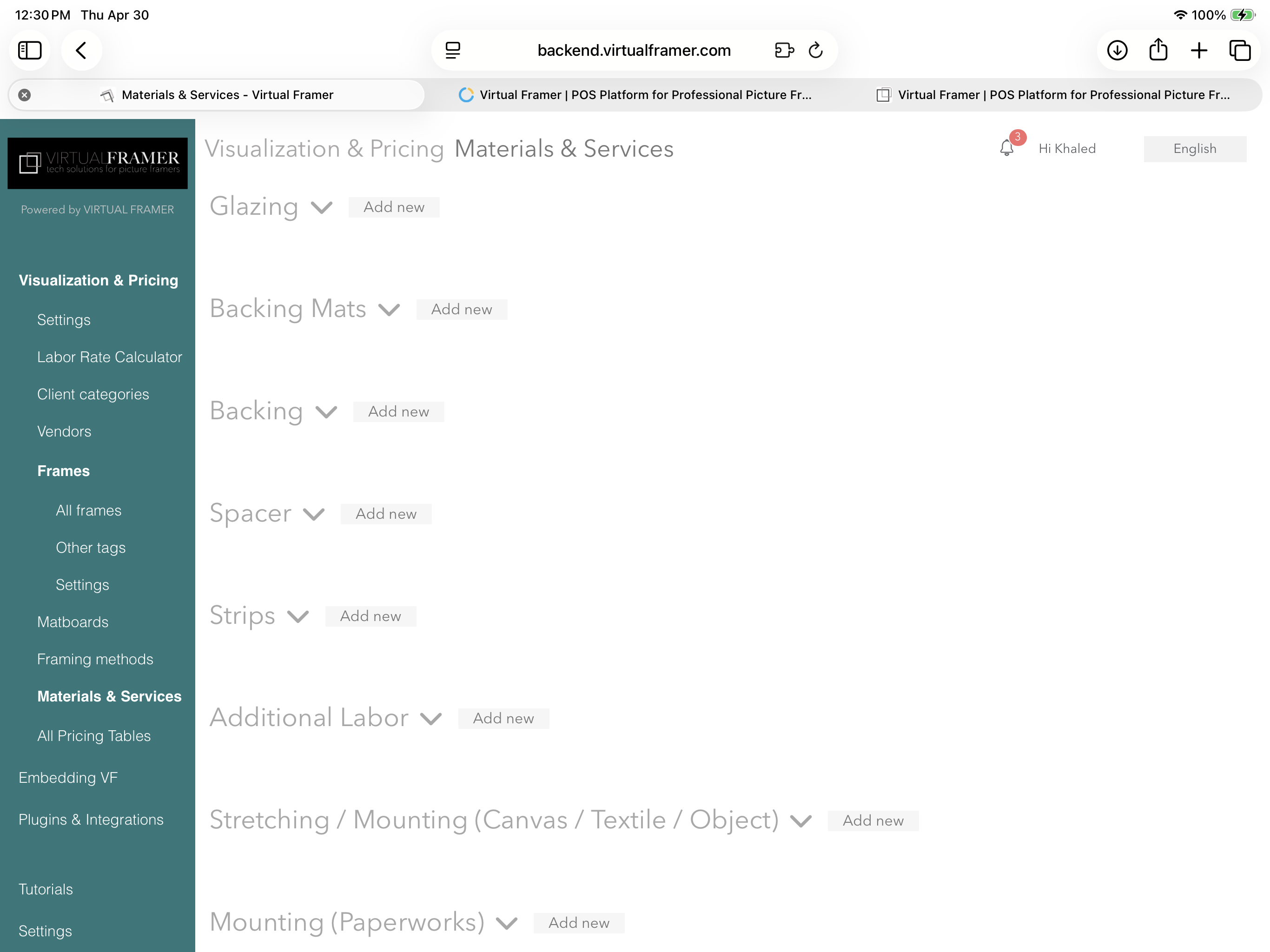
Protect your profits with precise pricing
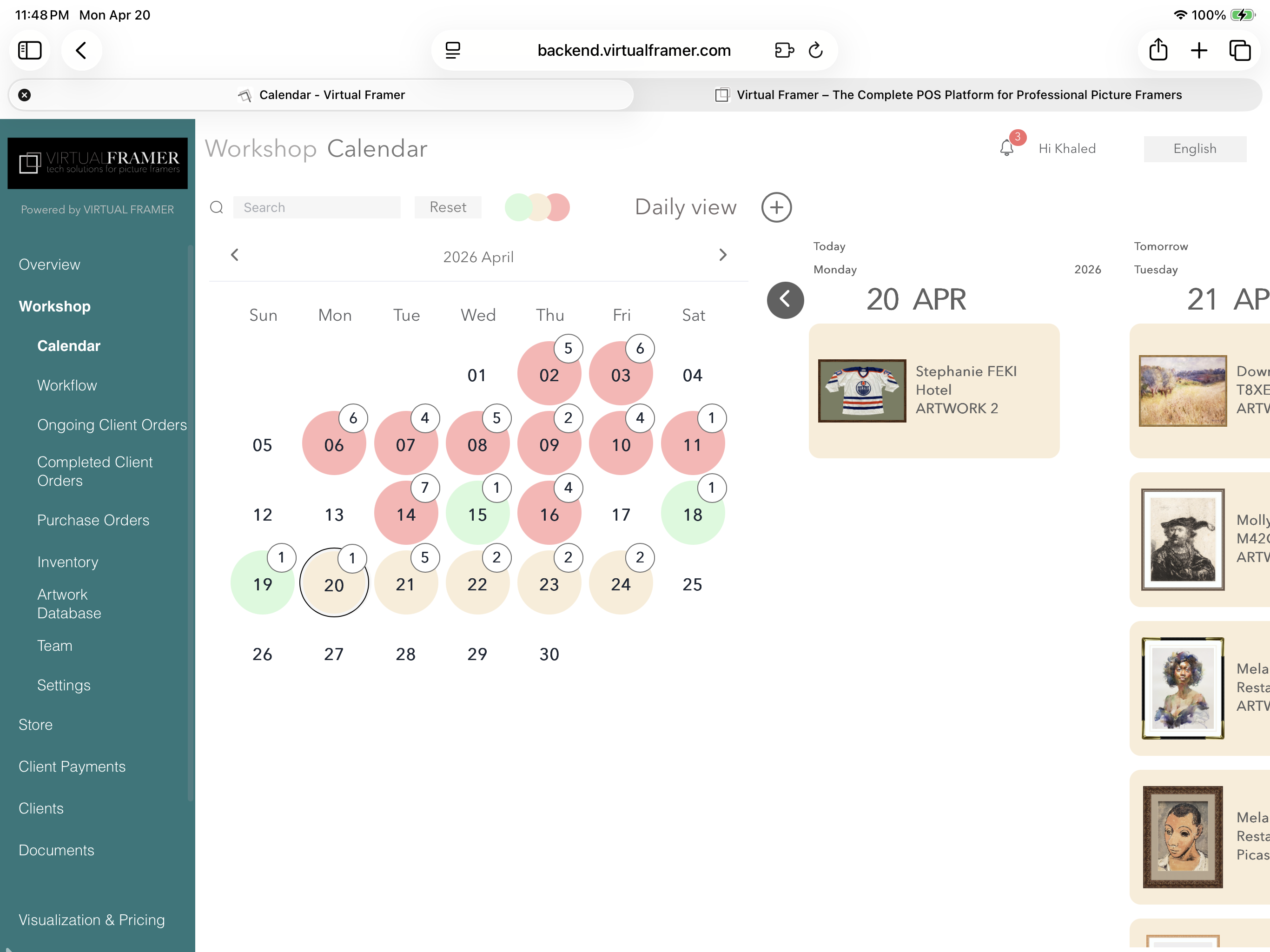
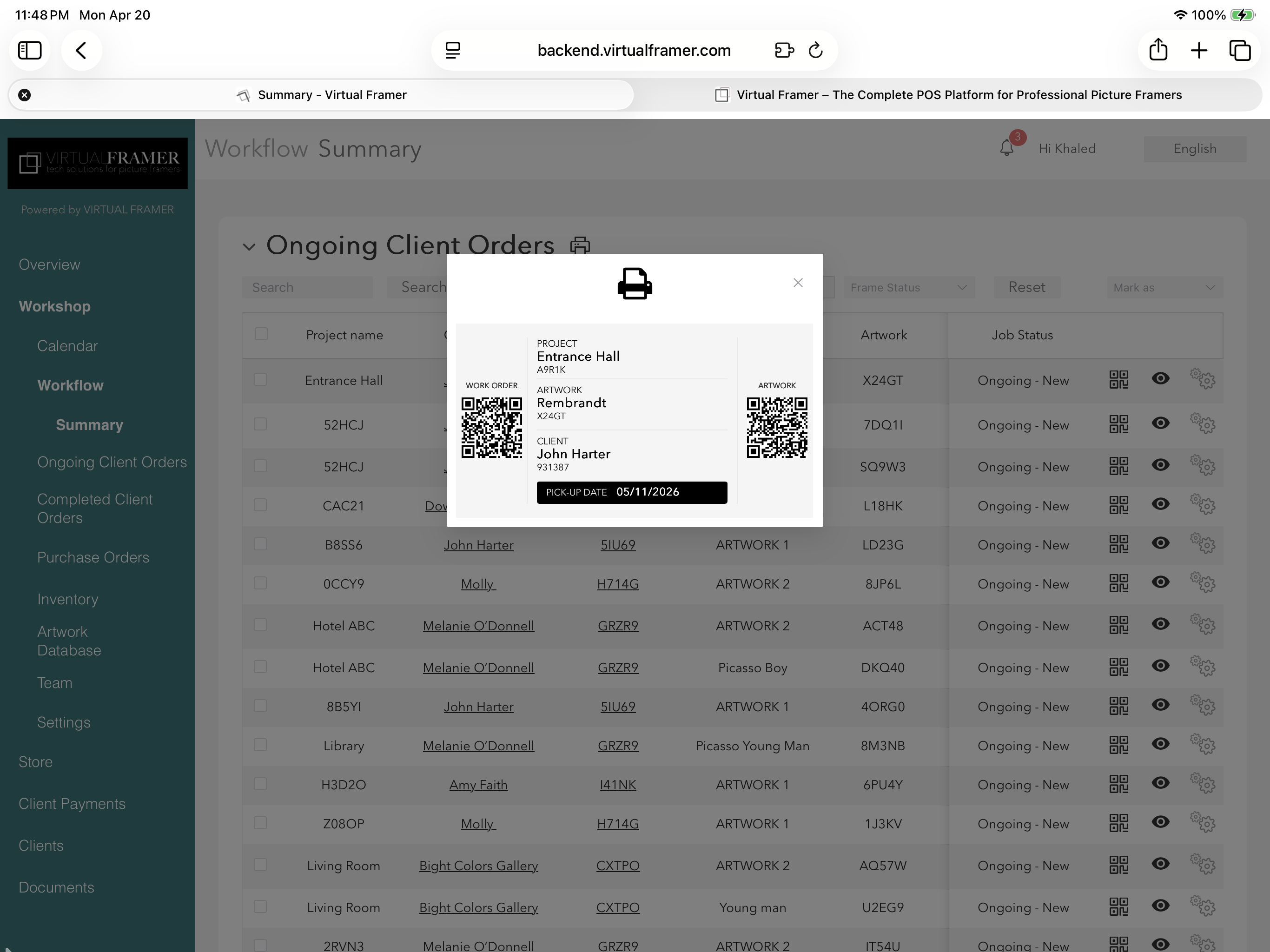
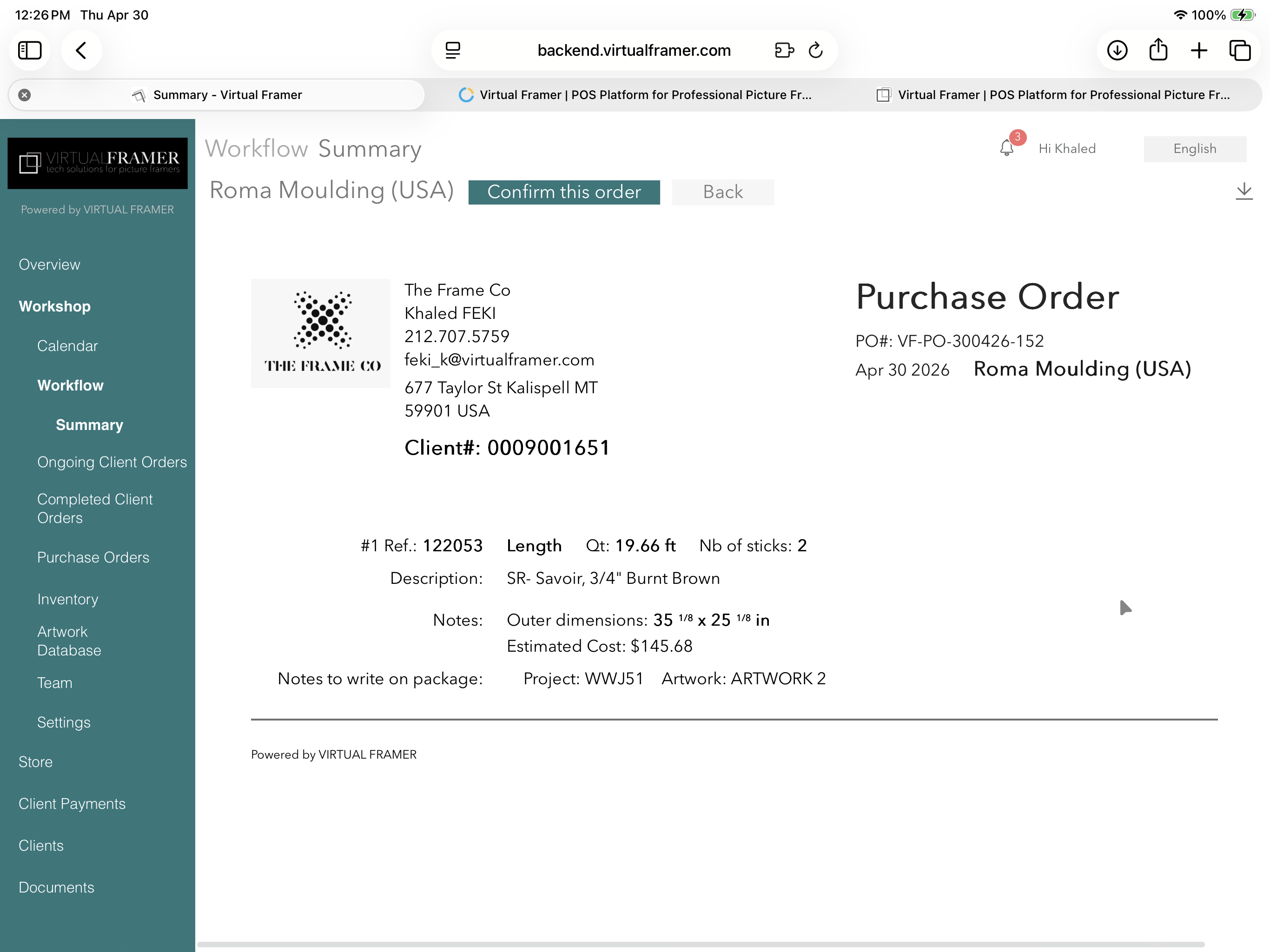
Run every job smoothly, on any device
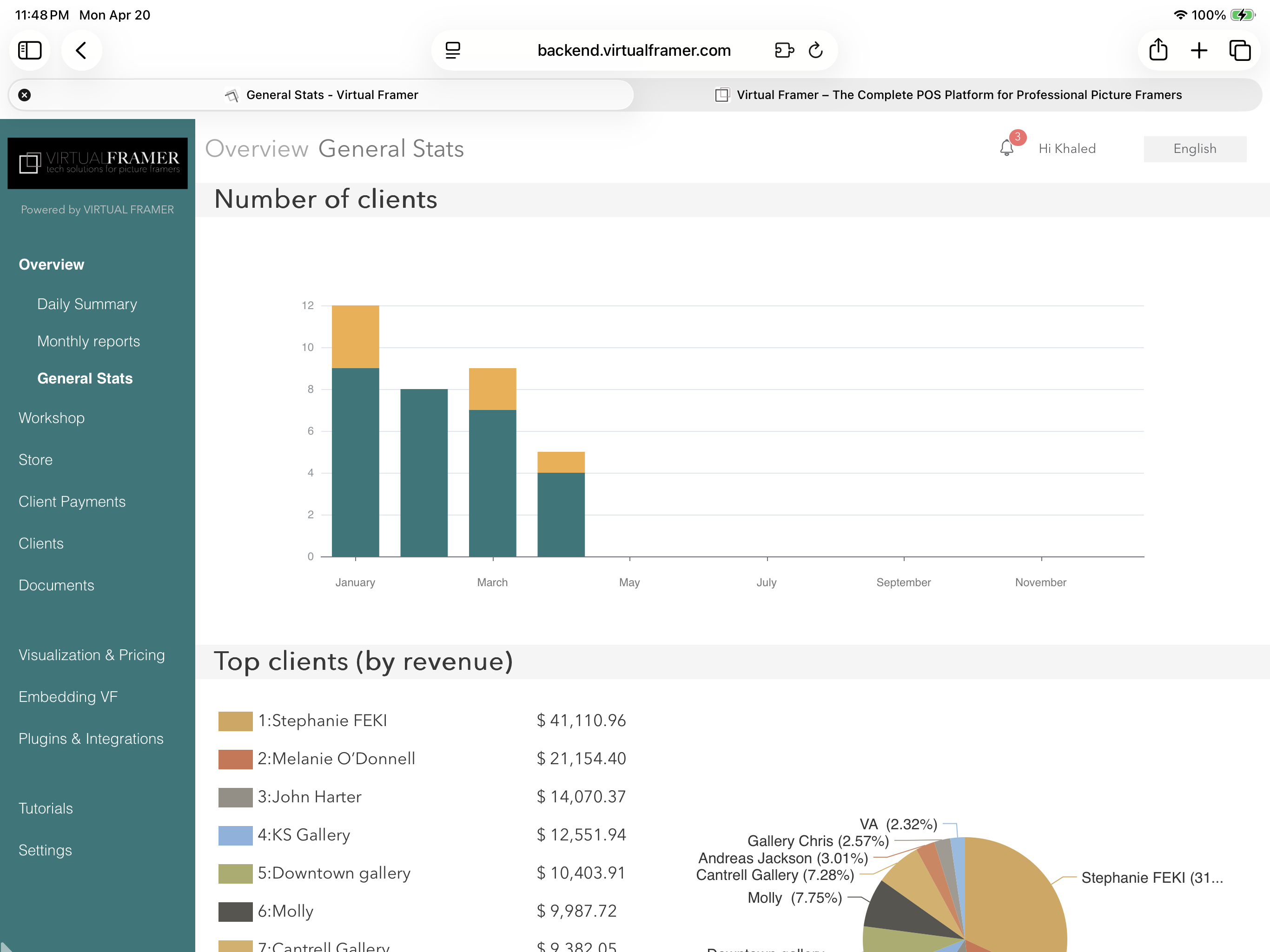
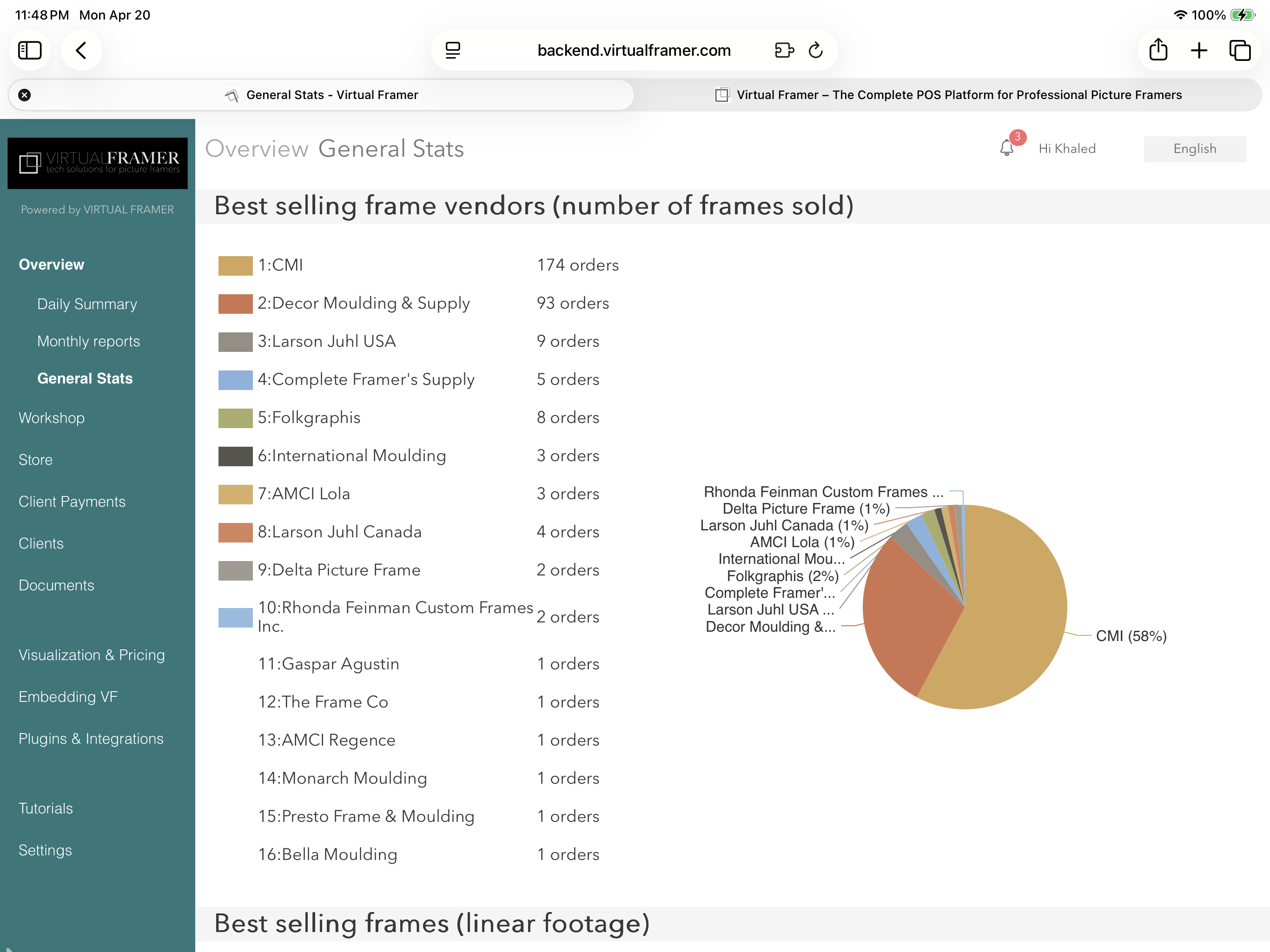
Know your business, inside and out
Capture your framing style and sell faster
Win more jobs with stunning proposals
Inside Virtual Framer
Slide through real screenshots to browse the complete platform and all the features it offers.
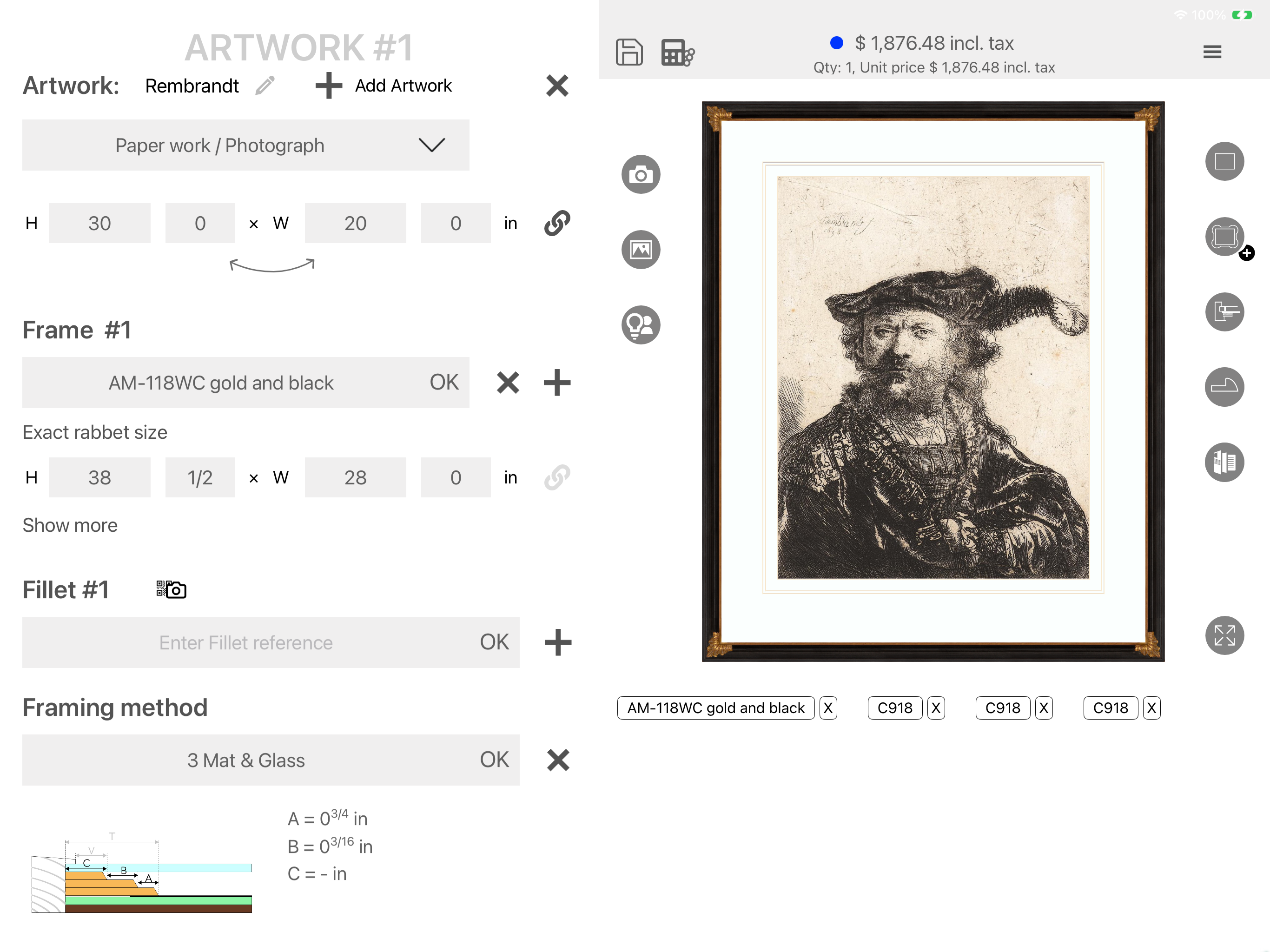
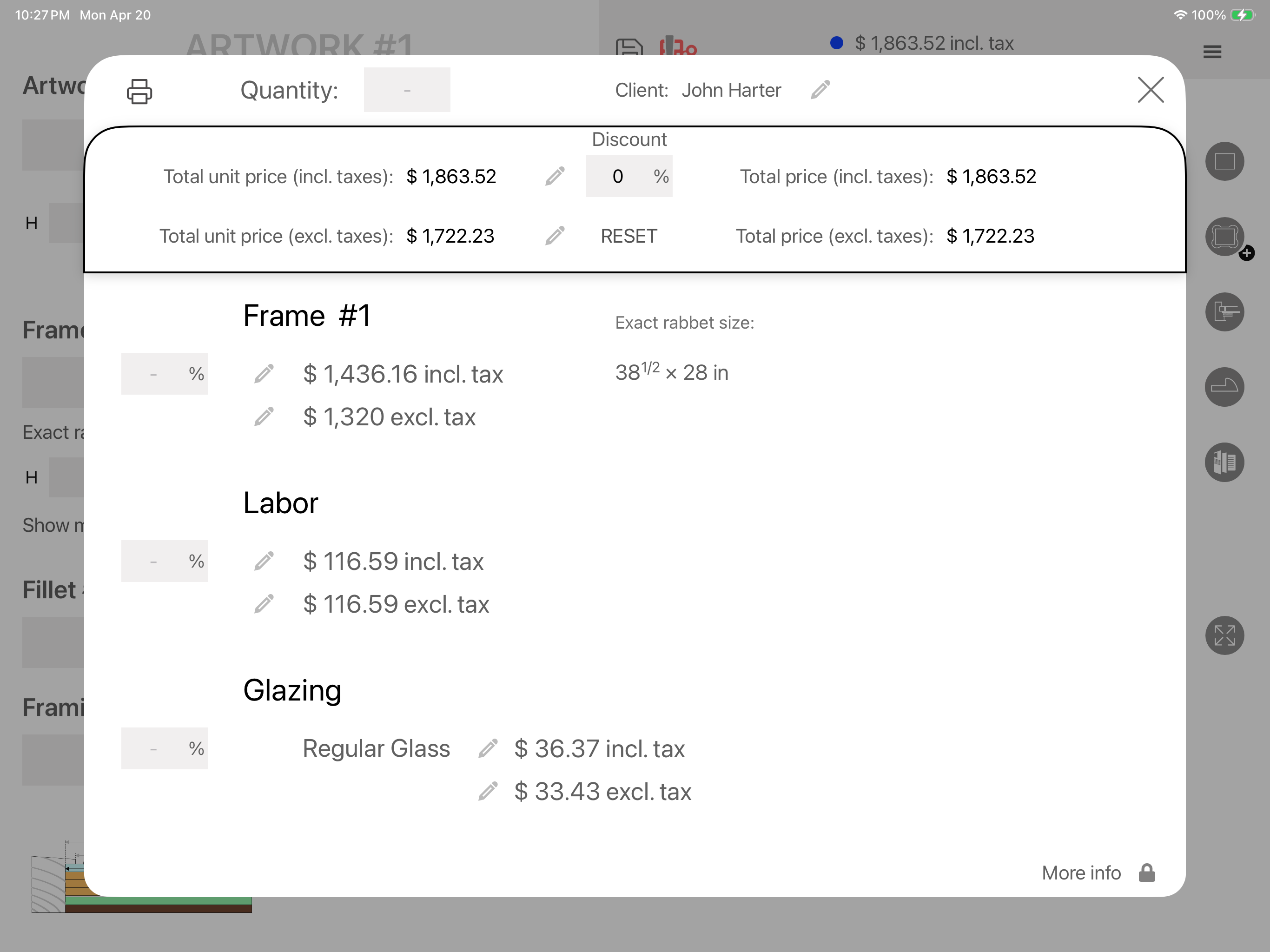
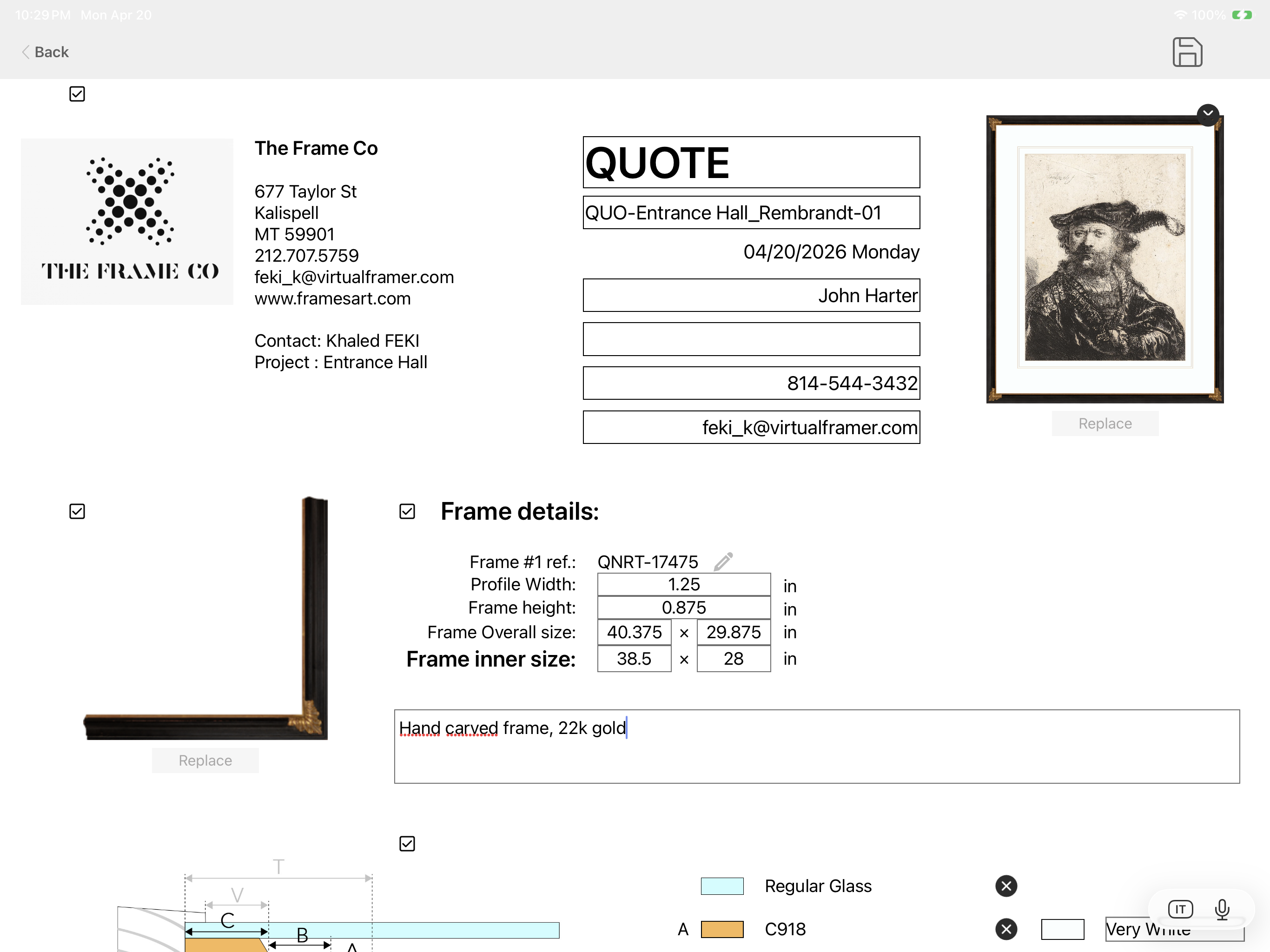
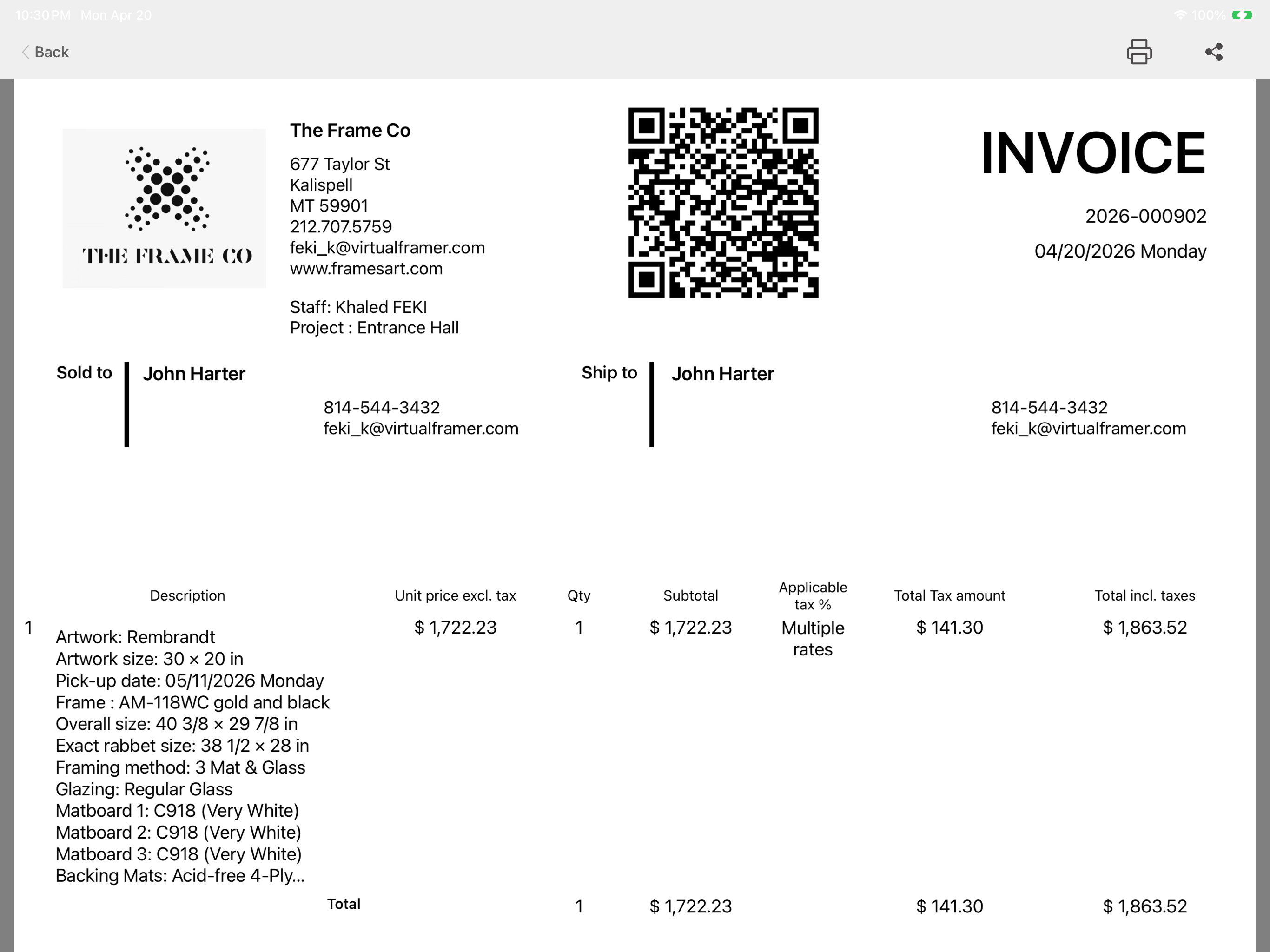
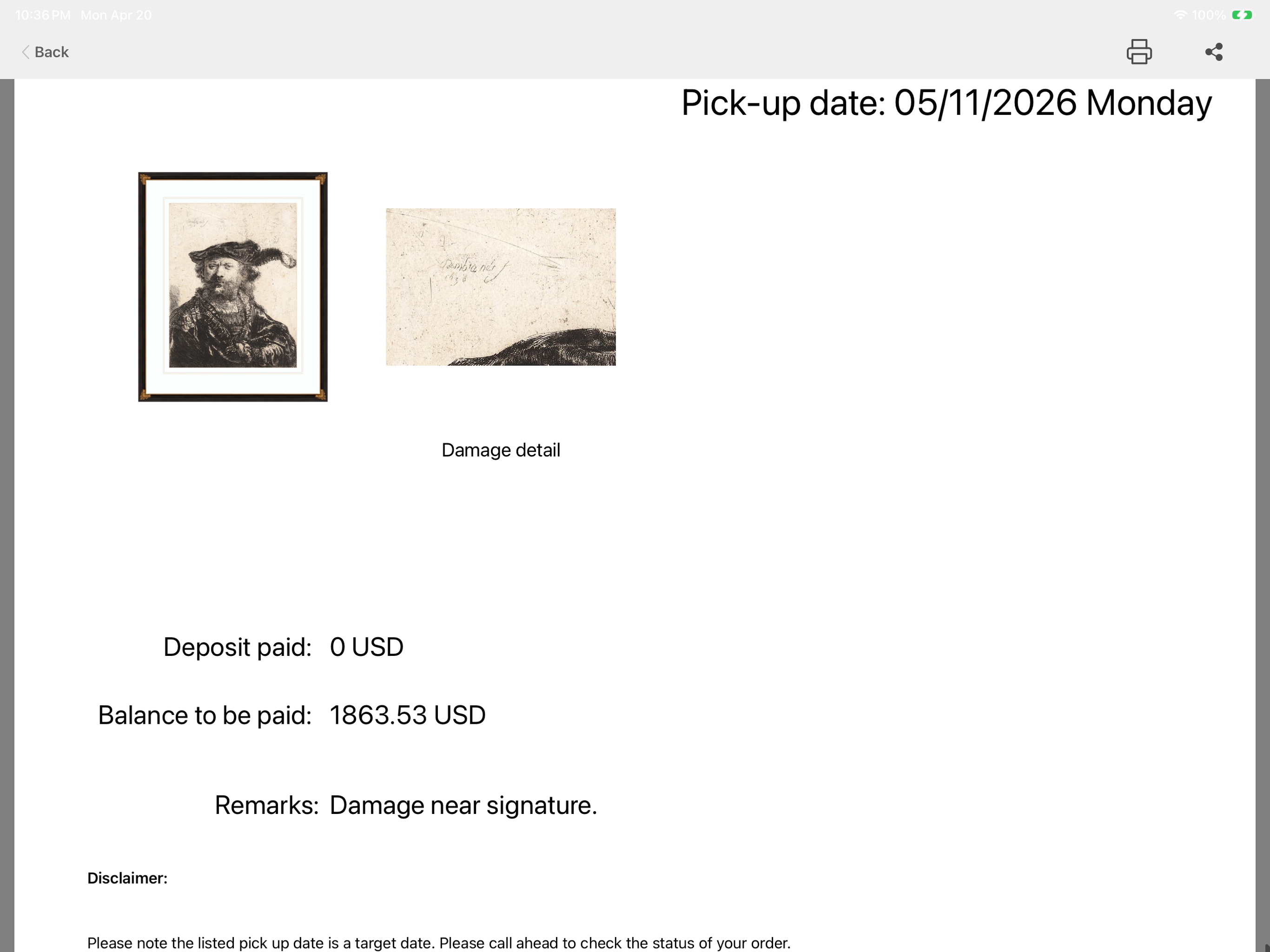
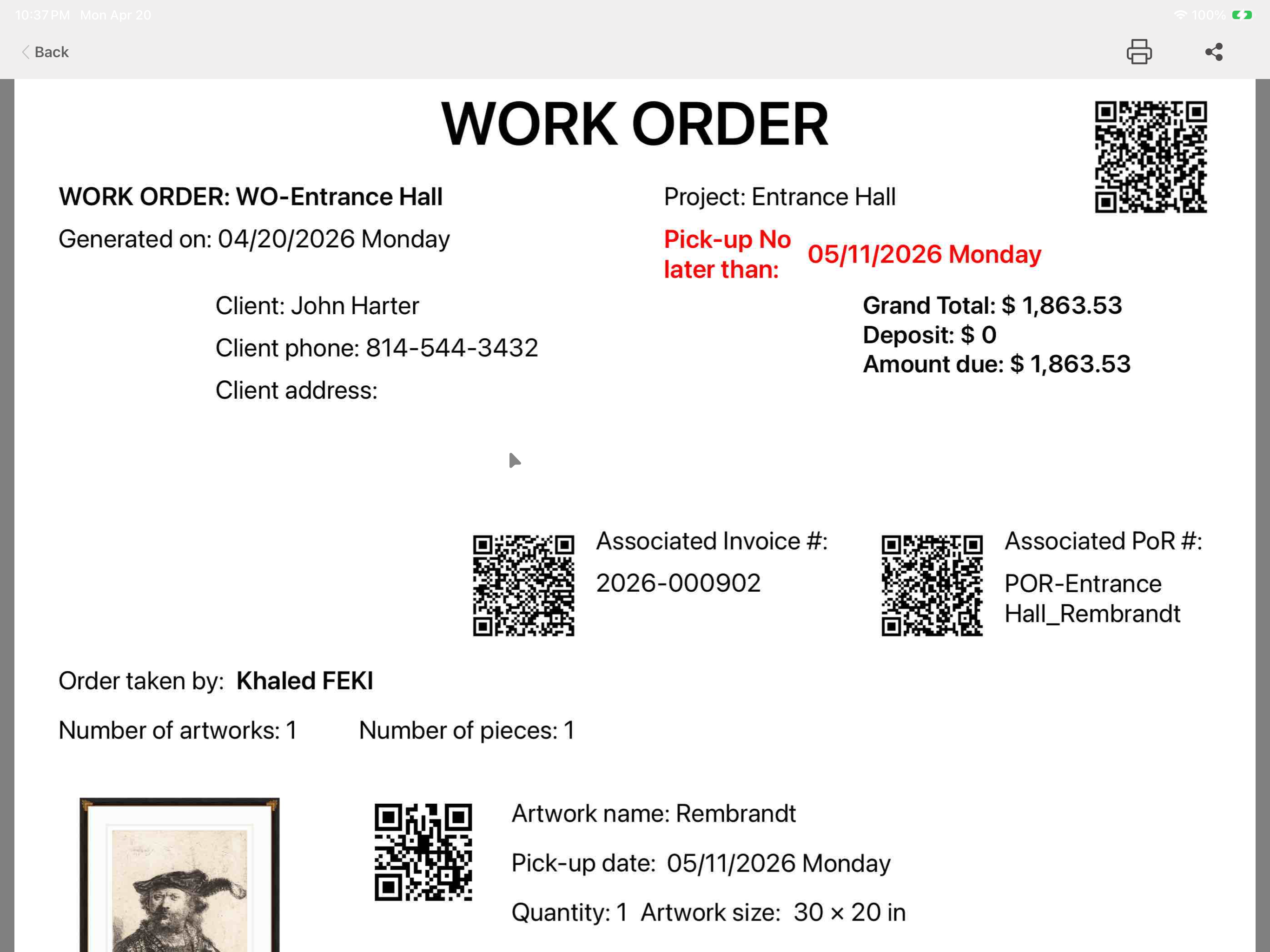
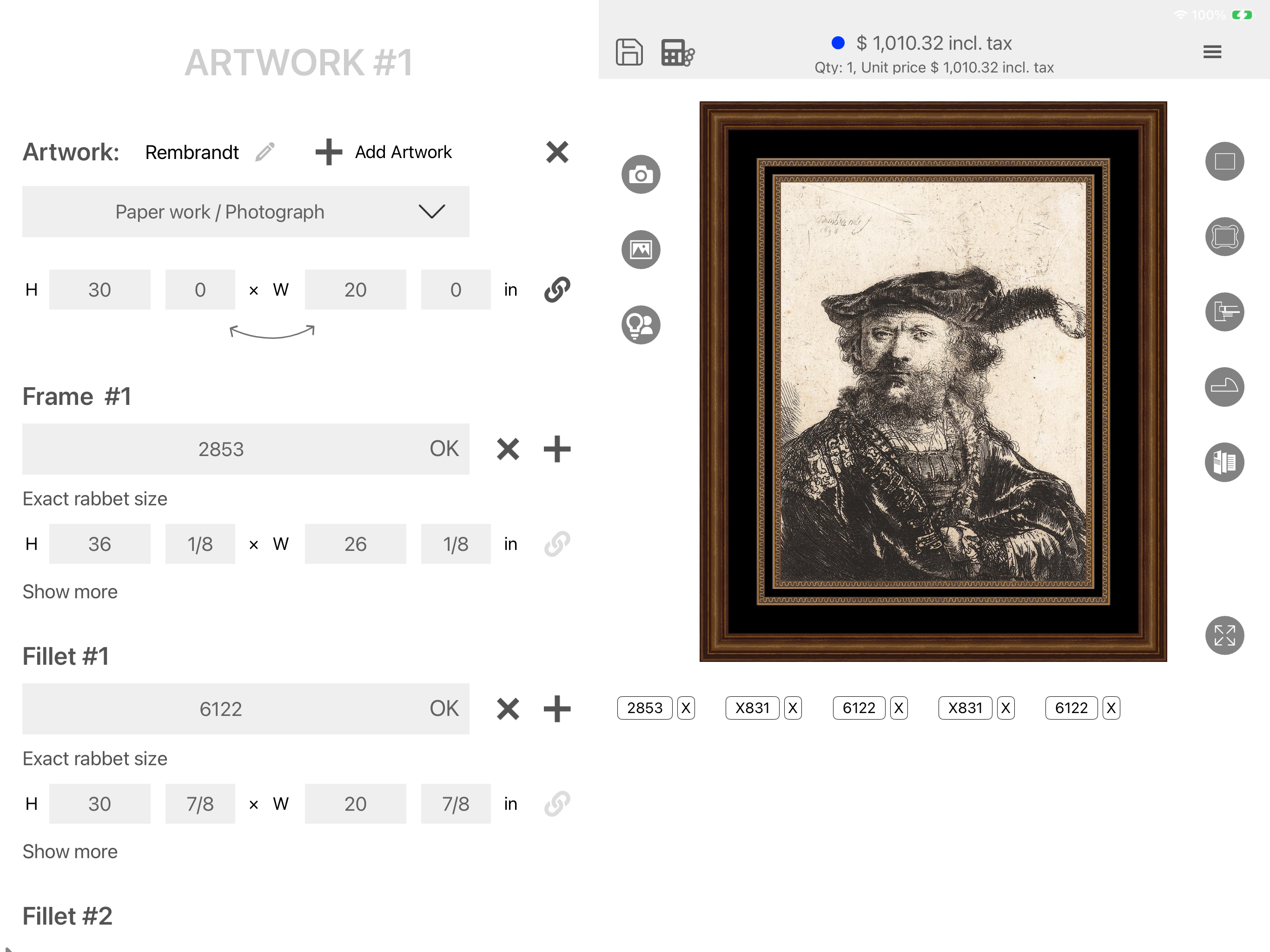
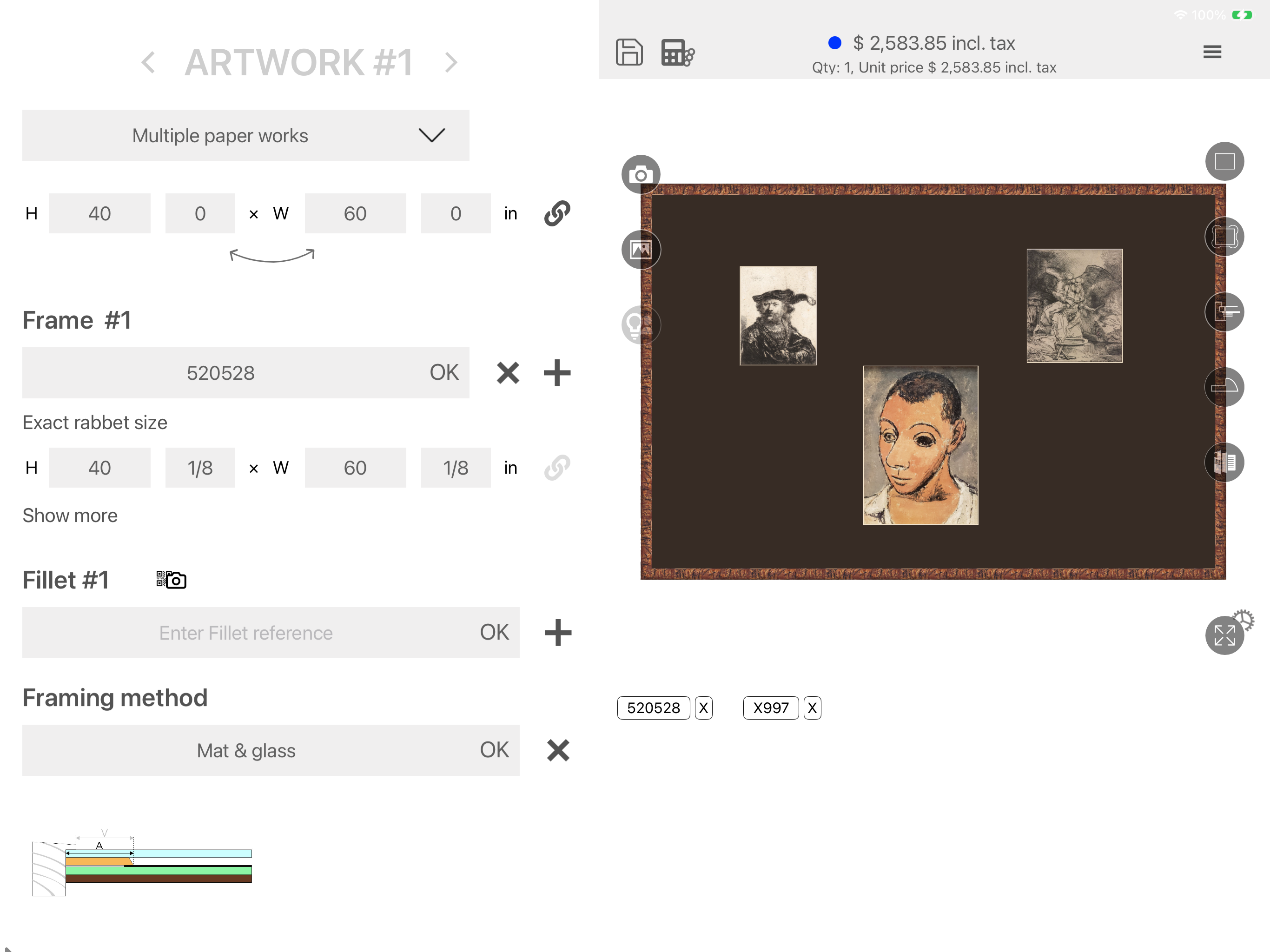
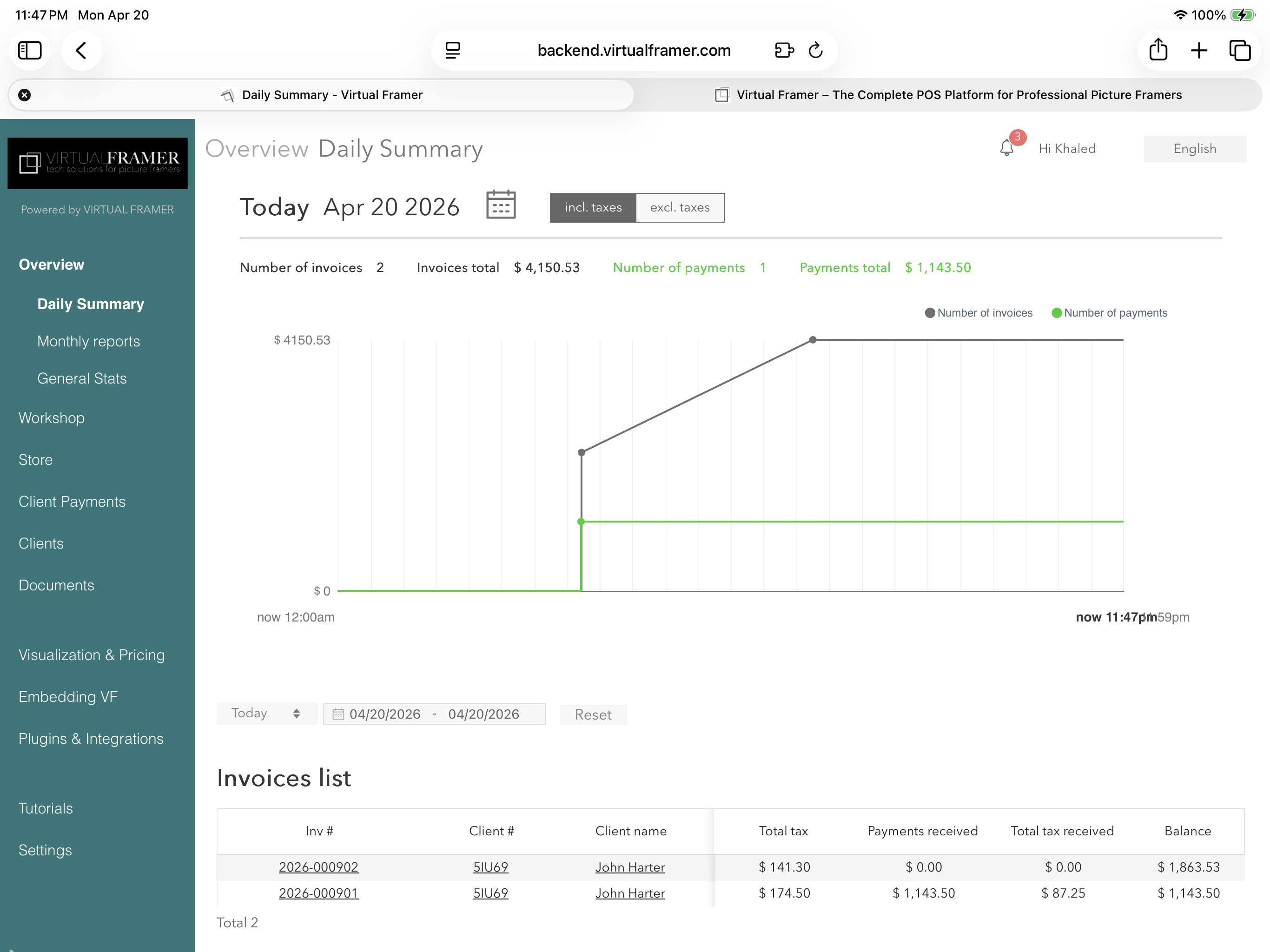
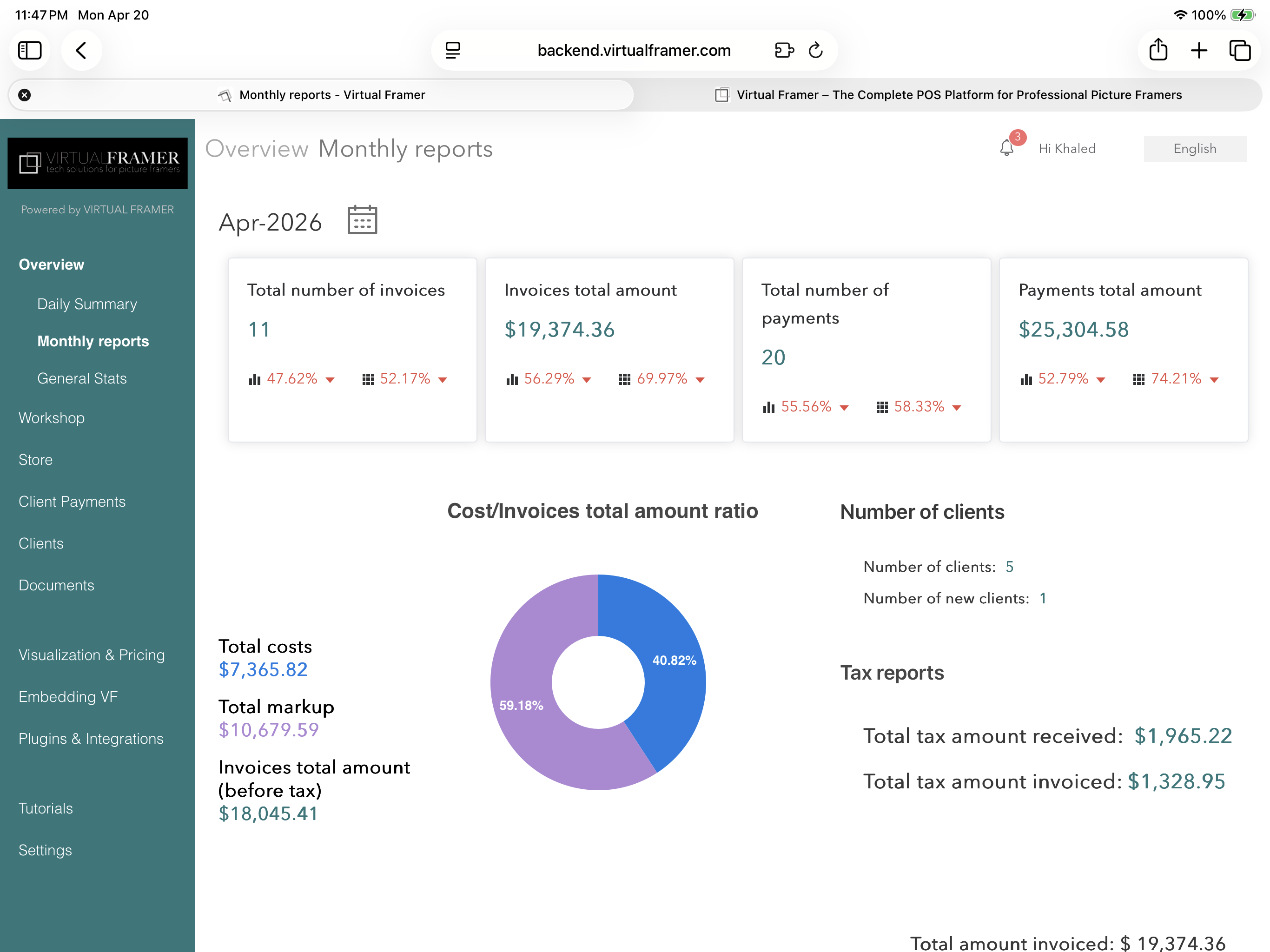
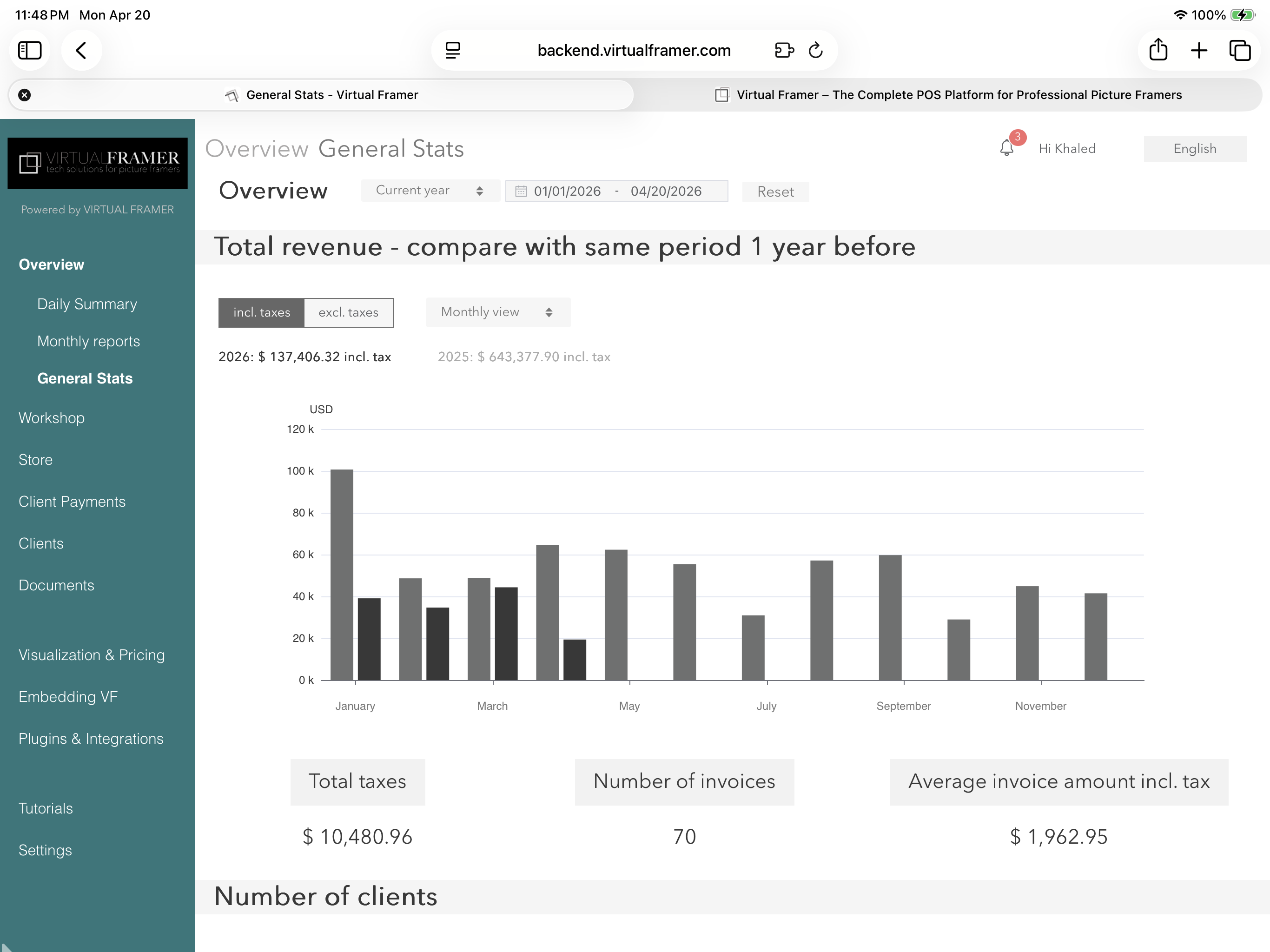
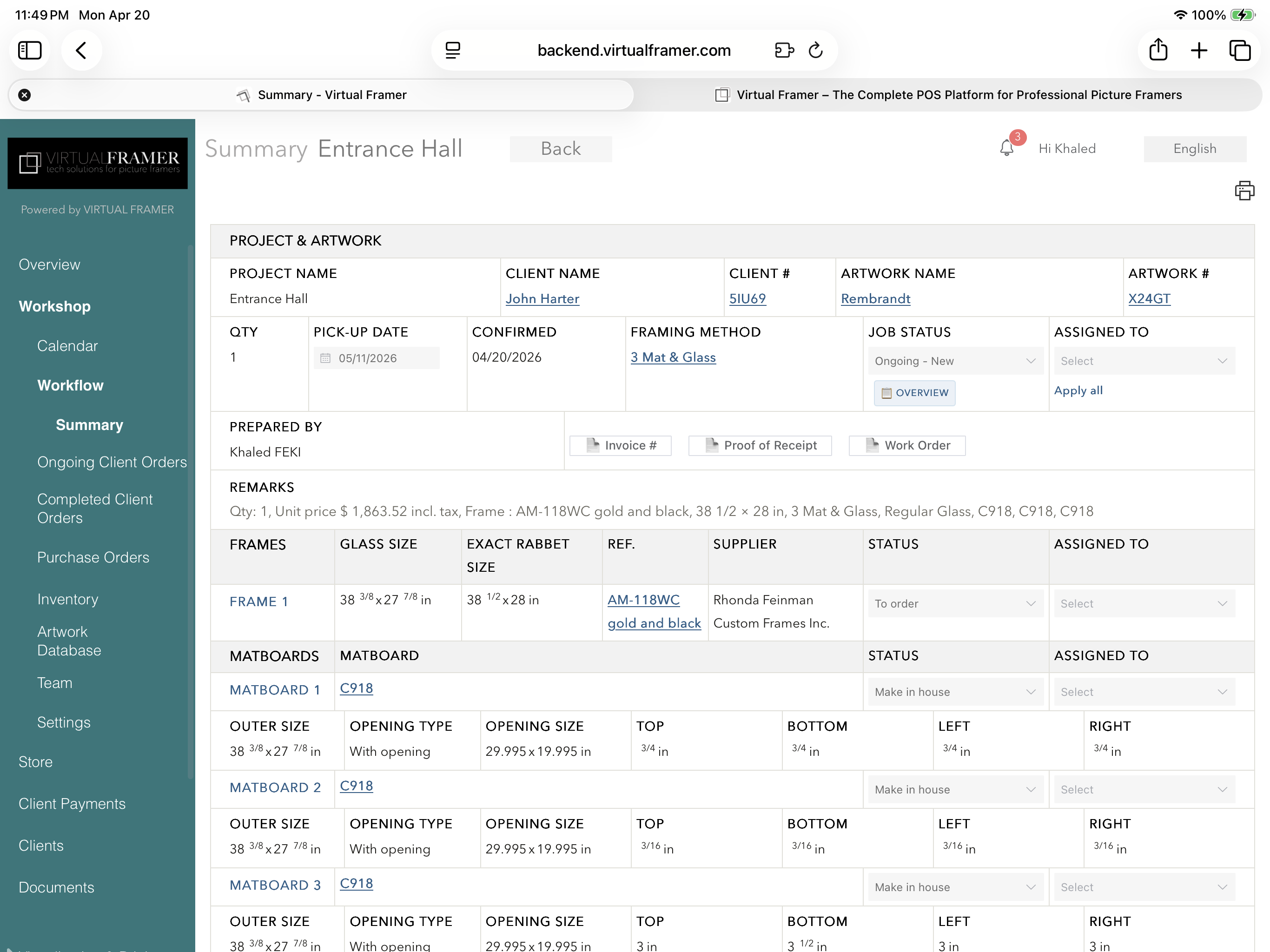
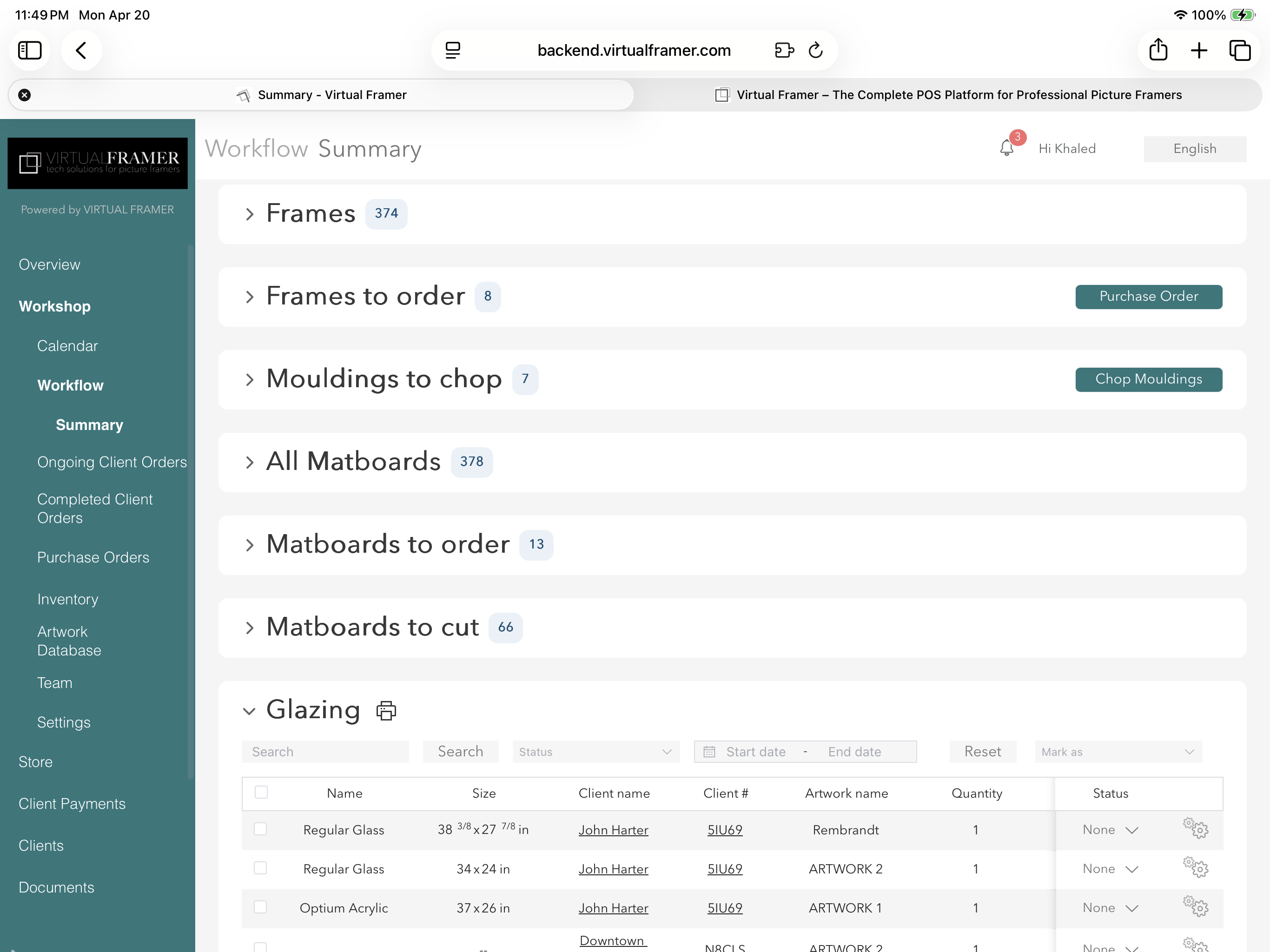
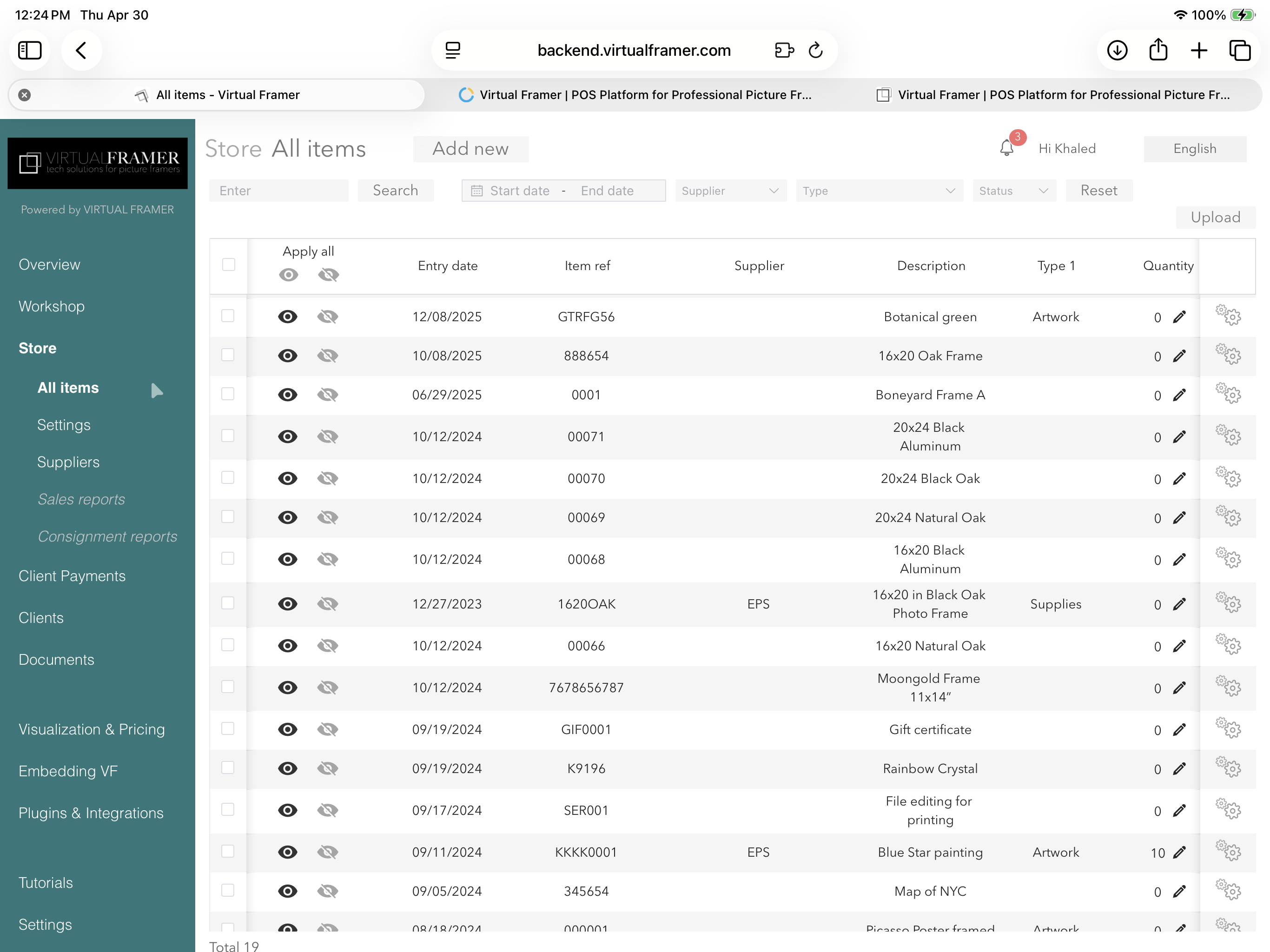
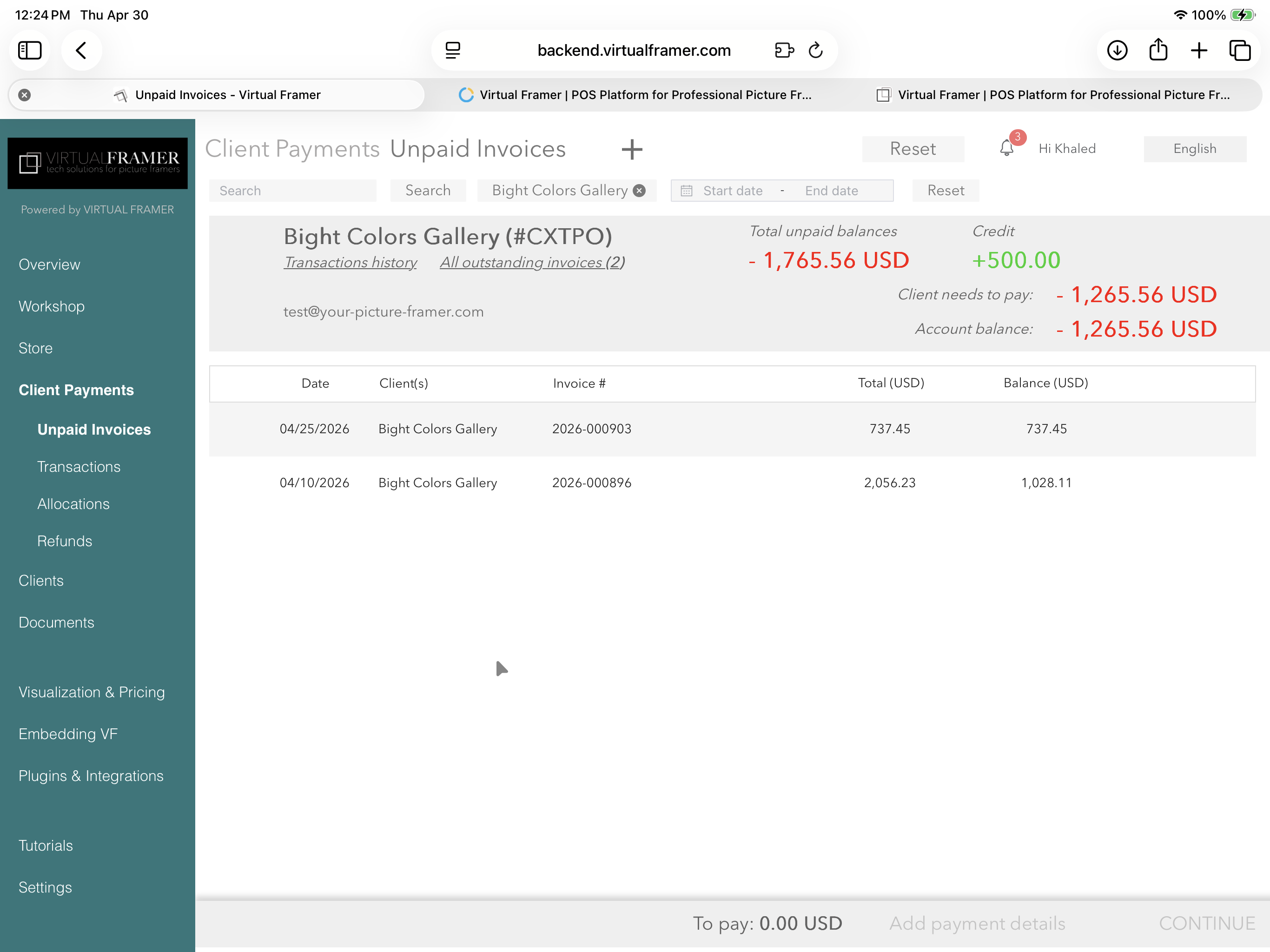
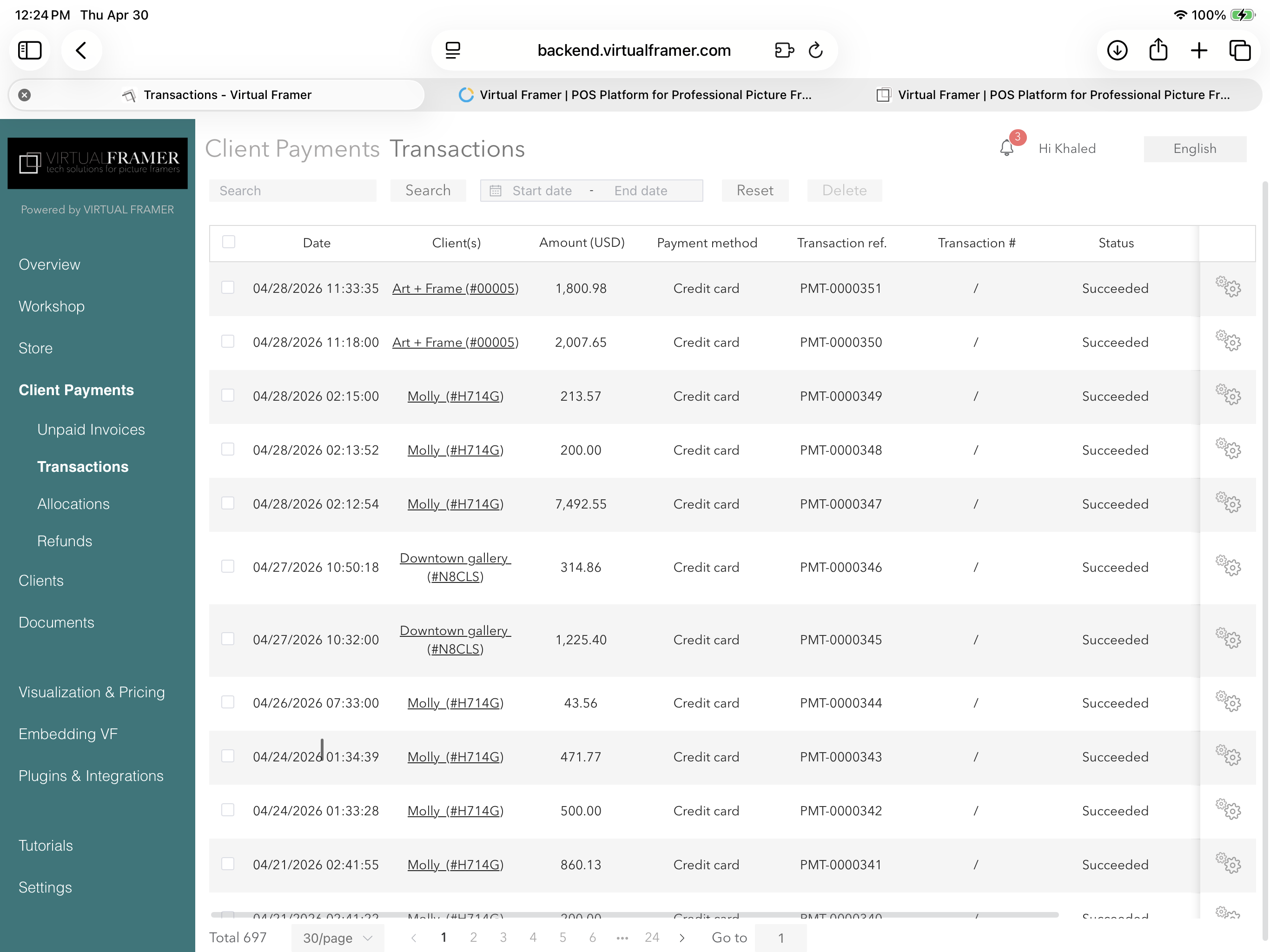
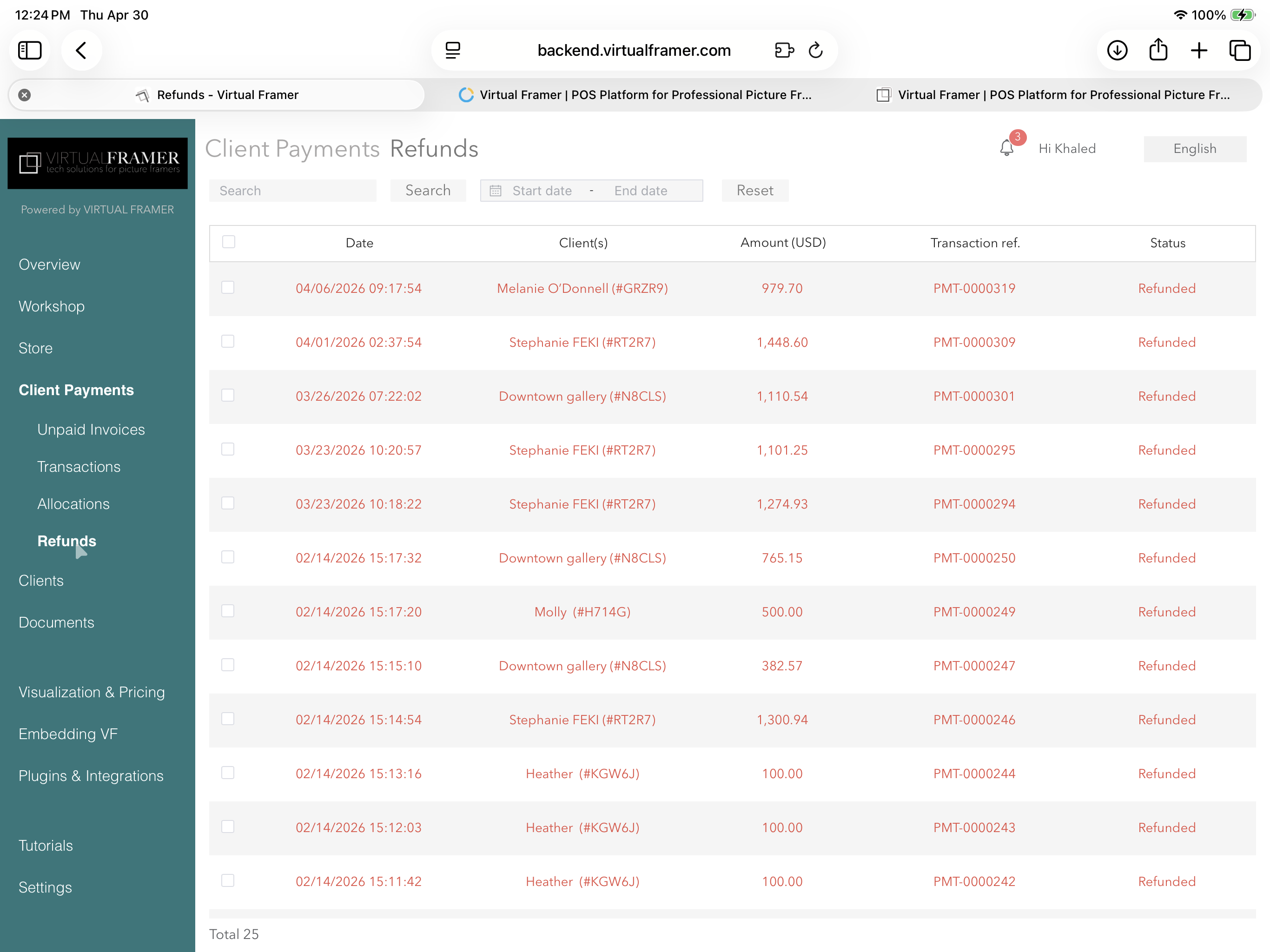
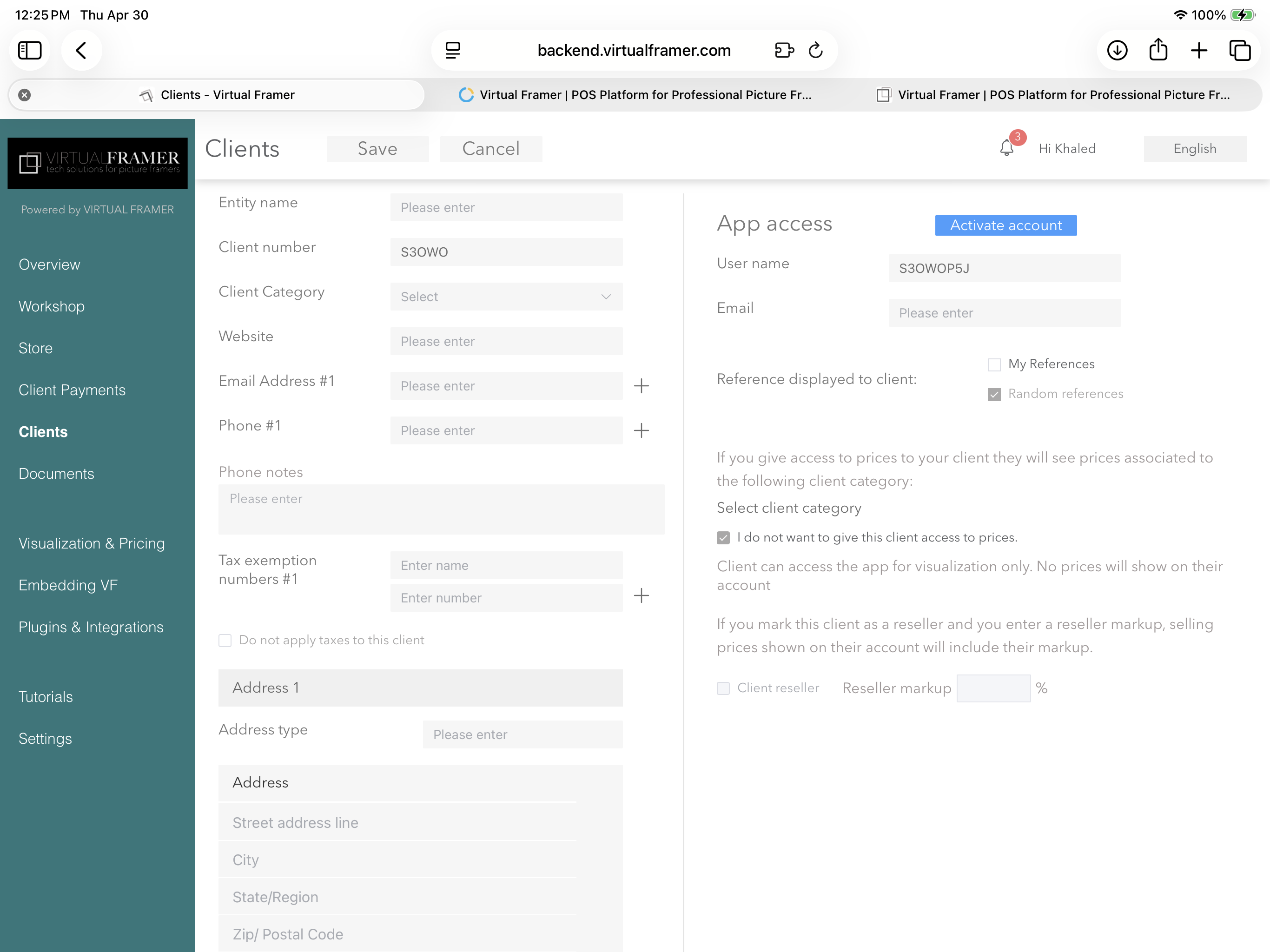
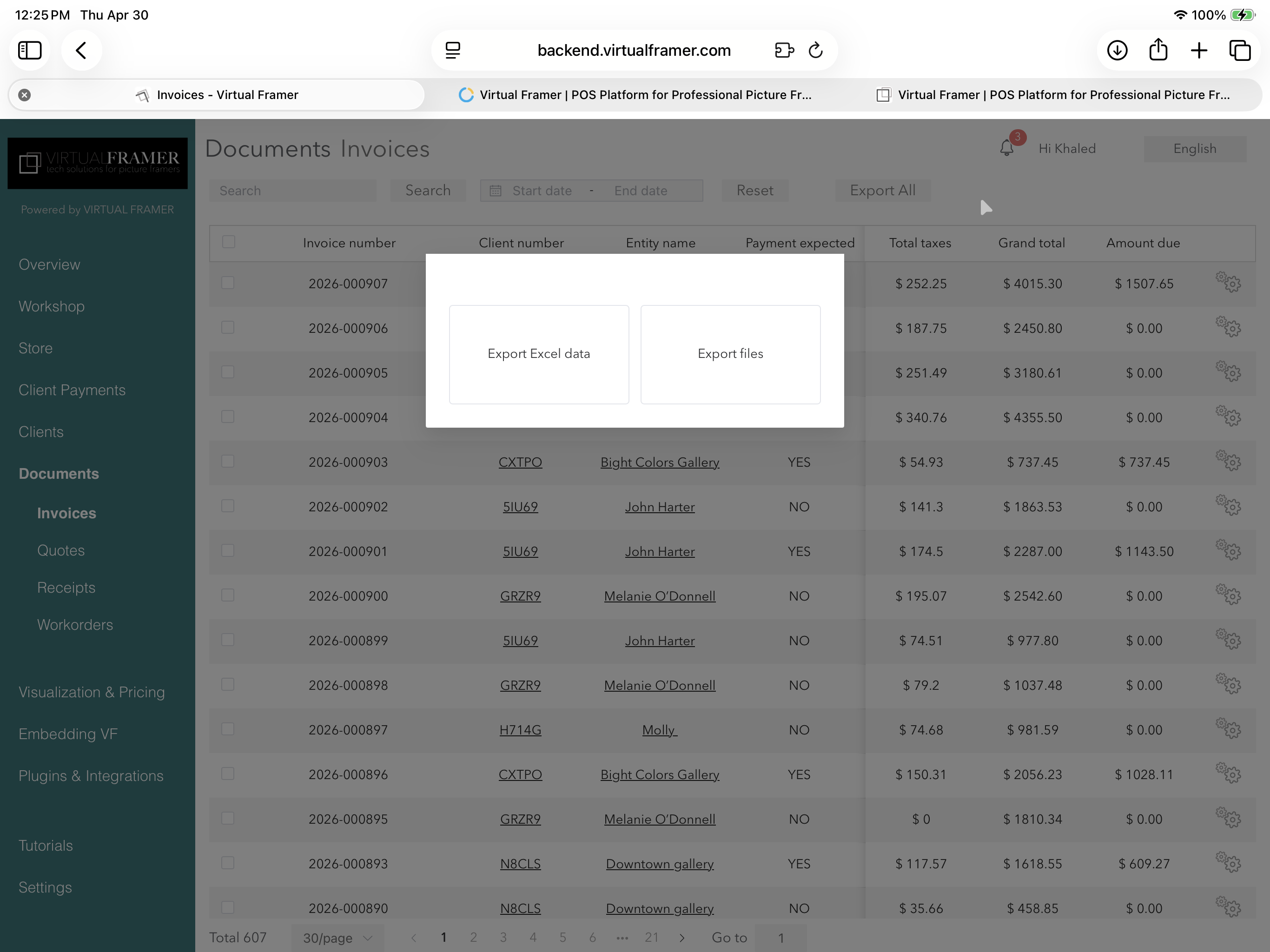
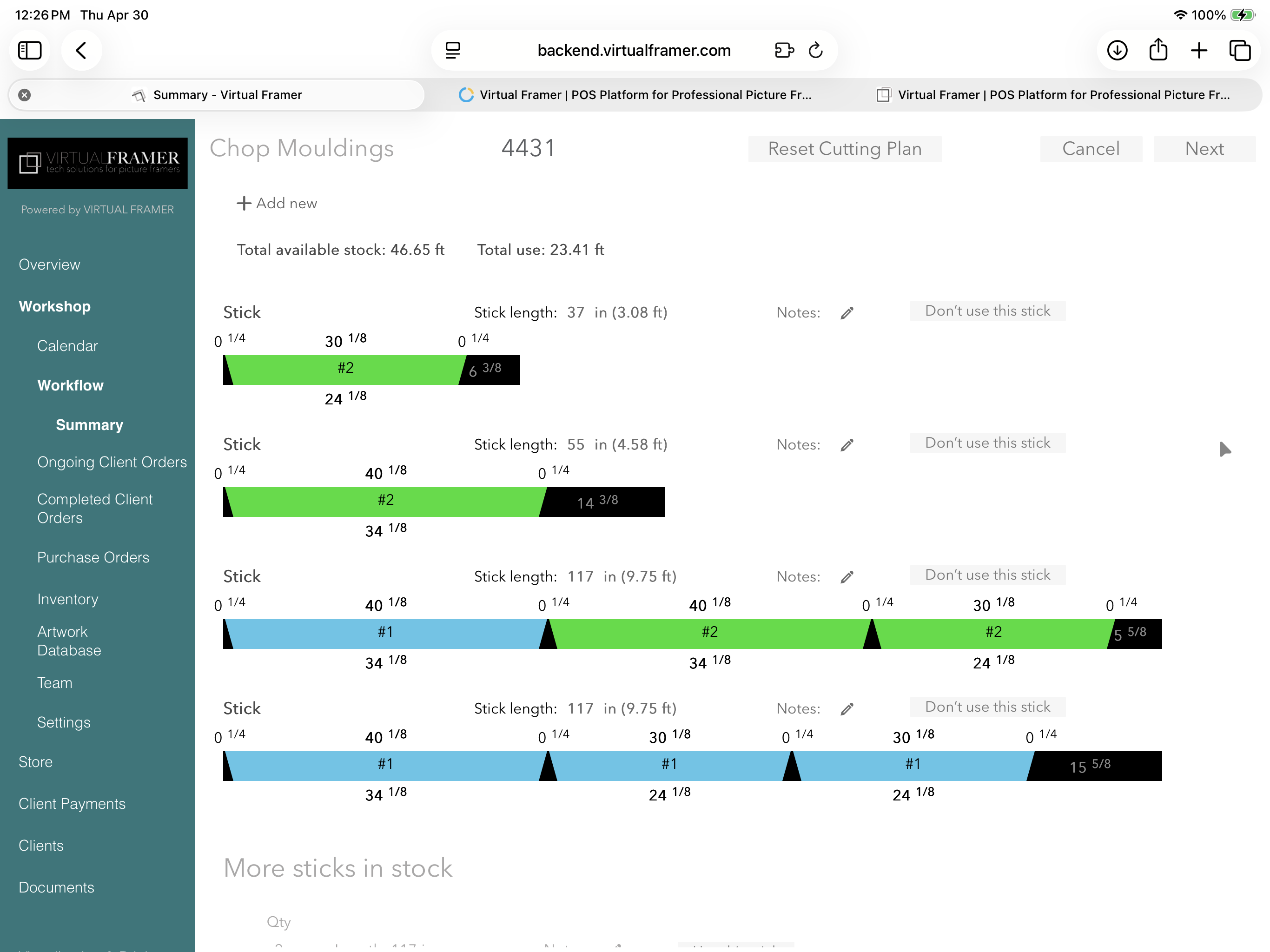
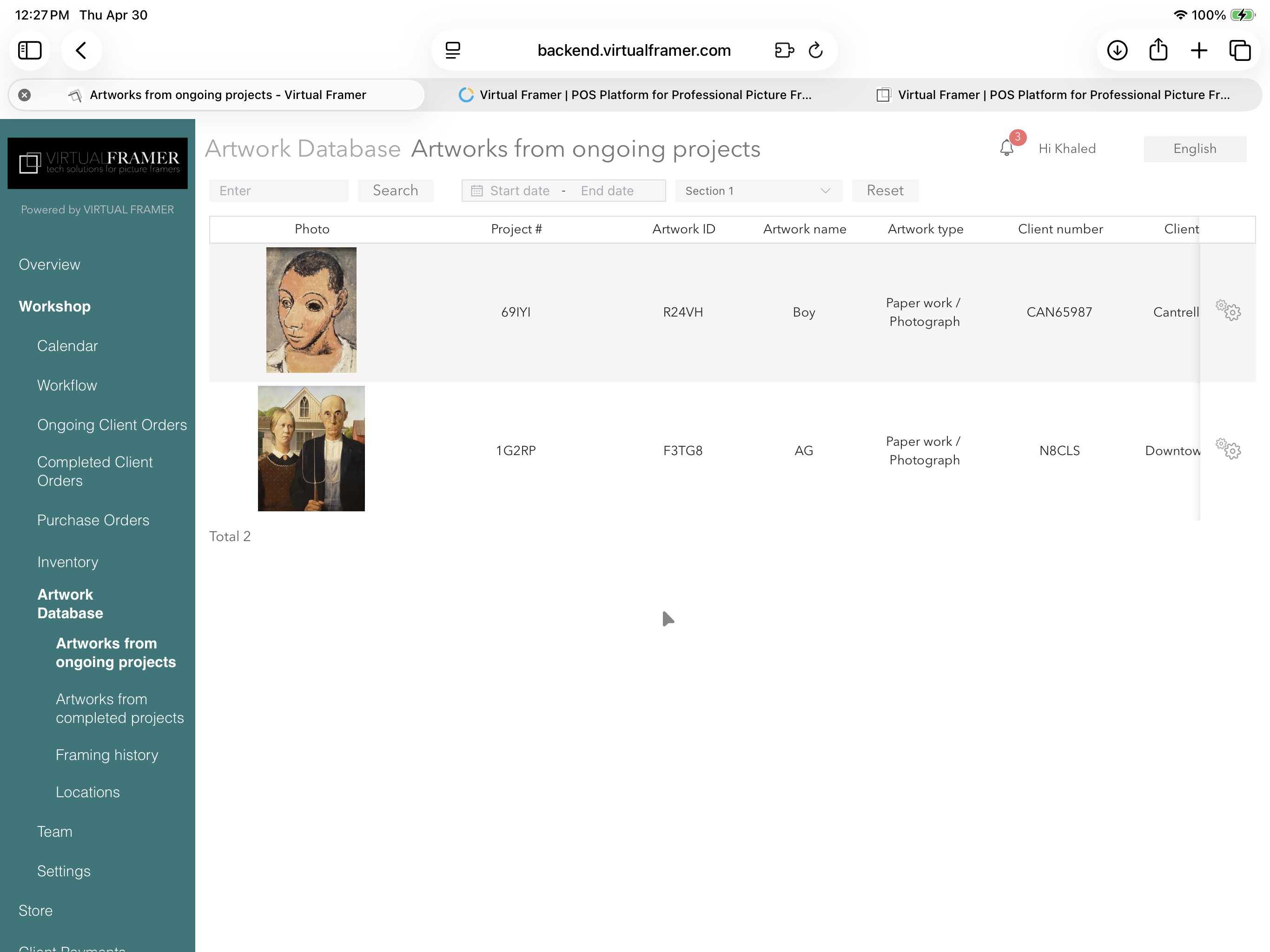
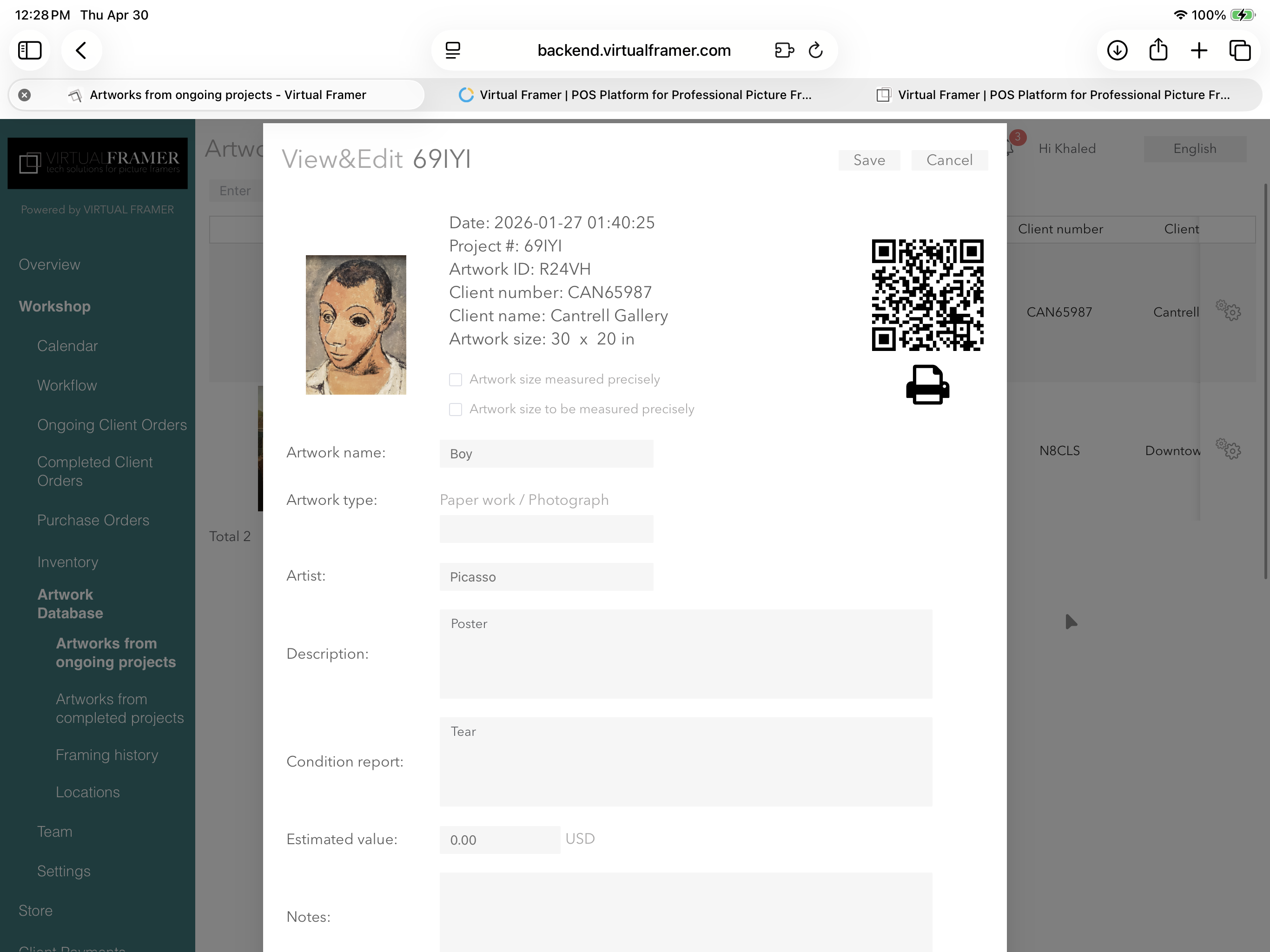
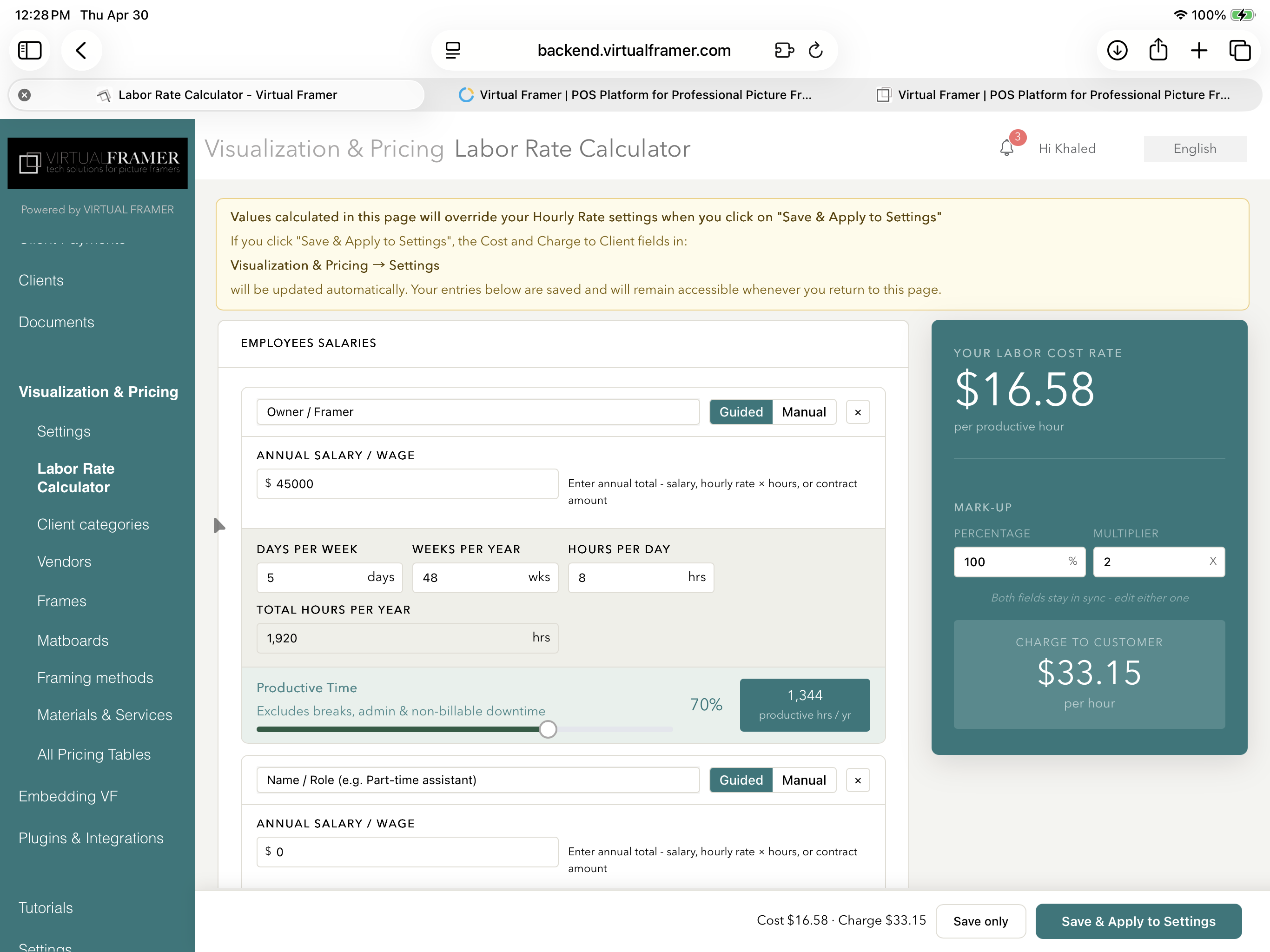
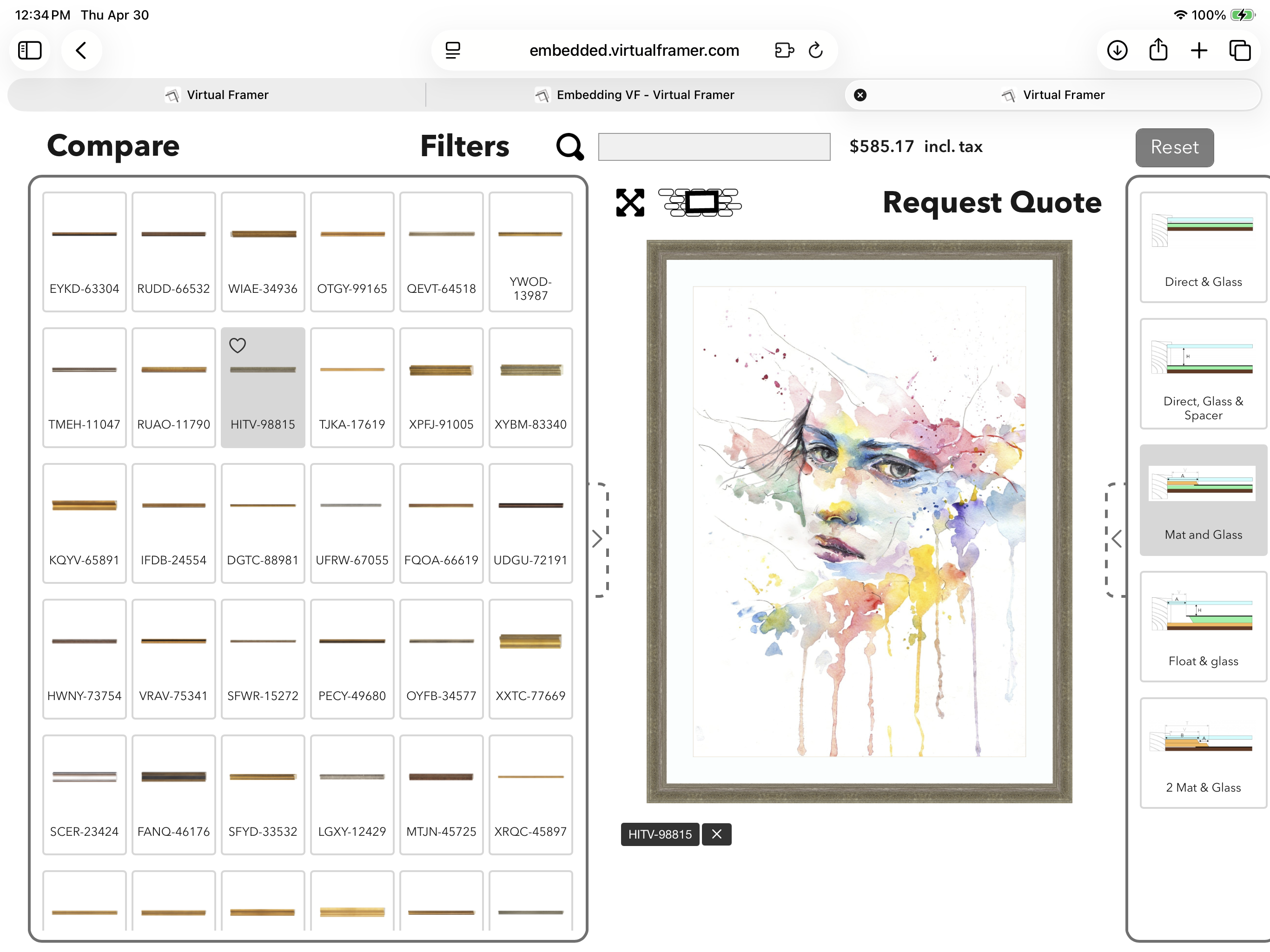
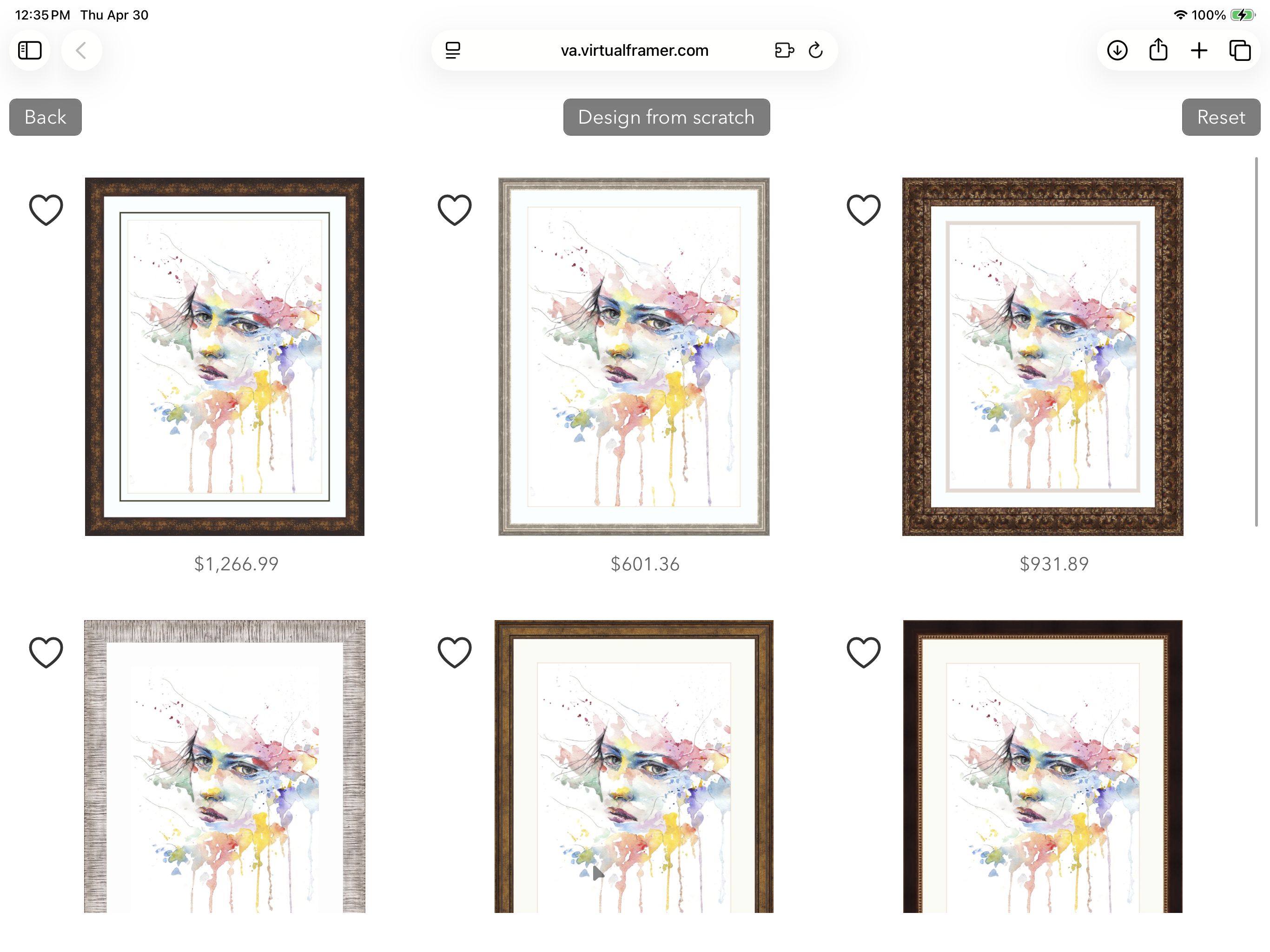
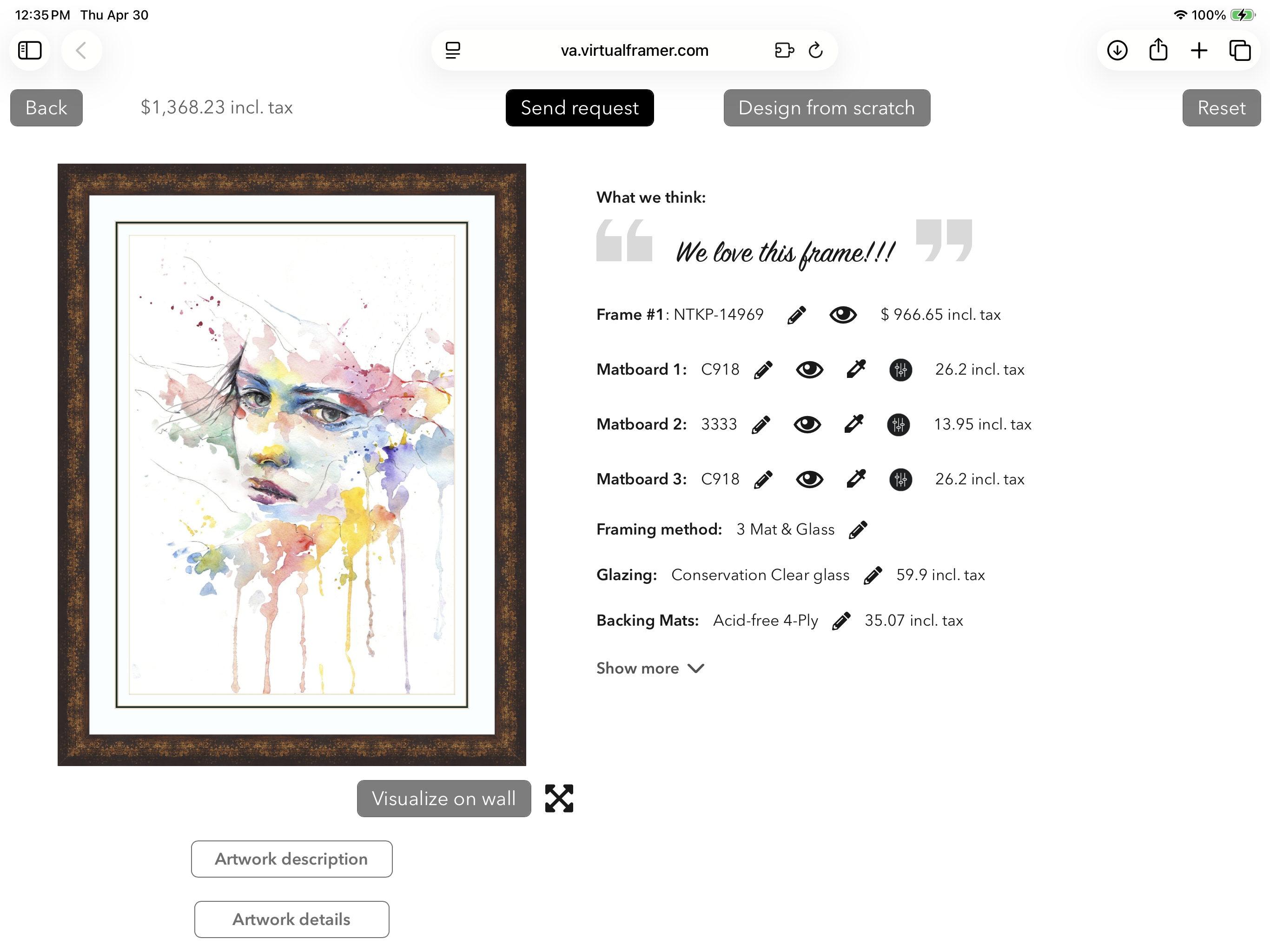
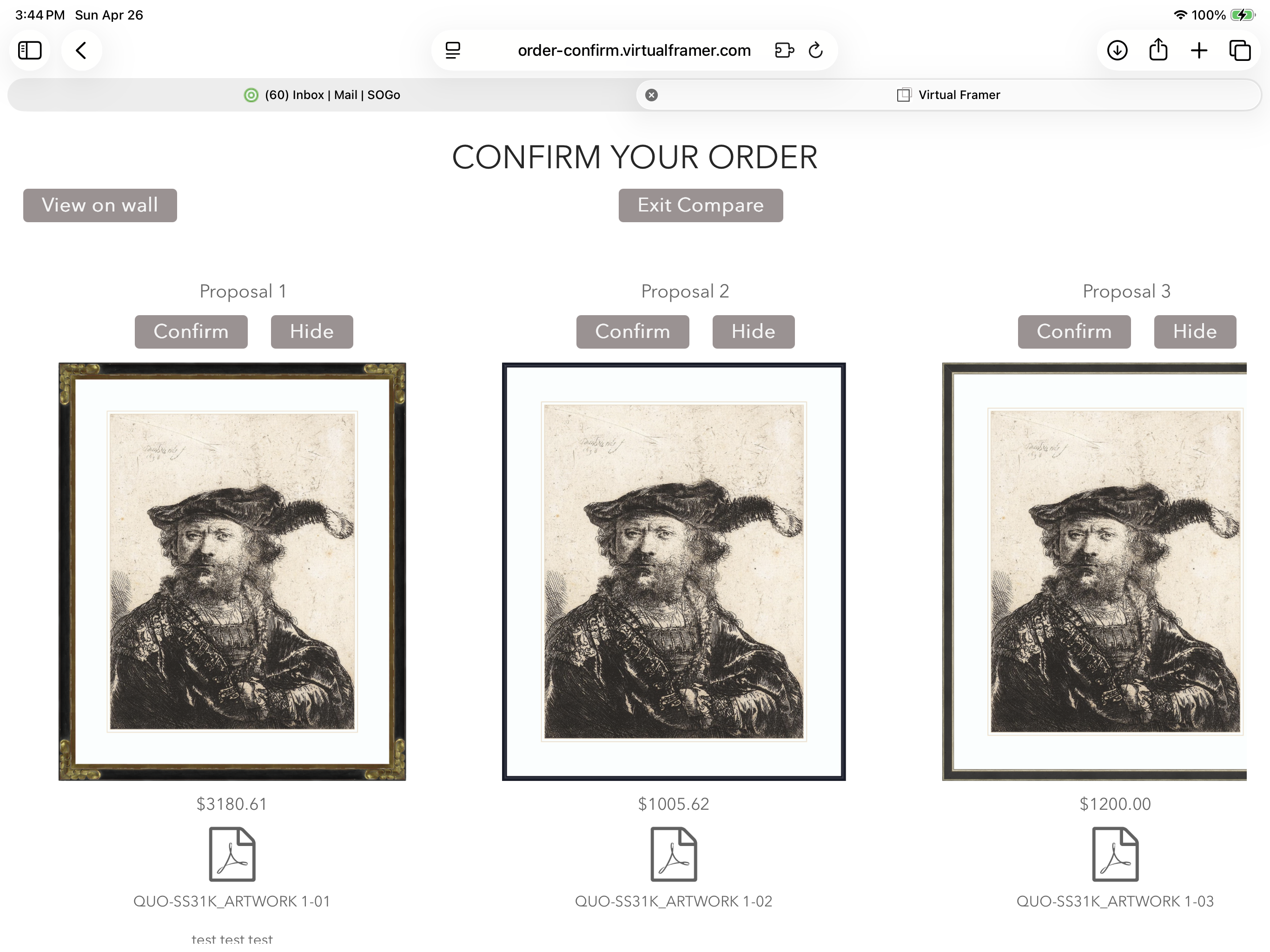
Make your POS a growth engine
Most framing platforms stop at pricing and order management. Virtual Framer does both better and goes further, with built-in tools to attract clients, close deals, and upsell. It’s not only a more powerful POS, it gives you sales tools that no other framing software offers.

We do the migration for you

Unlimited support, from day one

Up and running in minutes

The most innovative software in the industry

Built for iPad, a design your clients will love.

The only framing software designed to sell
A growing global network
We don't own your data. You do.
We don't take your data hostage. Your data is yours. We will never sell it, and we will never hand it to anyone else for their own purposes. If you ever want to leave, just ask before you cancel your account and we'll help you export every document and record you've built. No friction, no fine print.
This isn't just a promise on a marketing page. It's written into our Terms and our Privacy Policy, so you can hold us to it.
Read the fine print. Data ownership and privacy protection like ours is rare in the framing industry.
Trusted by professional framers worldwide






Frequently Asked Questions
Why should I sign up for Virtual Framer?
There are many reasons why you should consider Virtual Framer, including:
- The world's most lifelike framing visualizer speeds up clients' decisions and helps you close more deals.
- The visualizer makes it easier to sell more expensive frames, including frames you do not have samples for in store.
- You can create designs and generate quotes from anywhere, whether at a client's location or from home.
- Virtual Framer's engaging features enhance your clients' experience, both in store and online, leading to higher retention.
- The extensive catalog of vendor collections, accessible from anywhere, means fewer missed opportunities.
- Built-in pricing software provides the most accurate reflection of your day-to-day operations of any framing POS system currently available.
- The project management feature helps you streamline your workshop and operations more effectively than any existing framing POS.
- Smart inventory management tools help you reduce material waste, save time, and manage your stock efficiently.
- Comprehensive reports and insights give you a clear, in-depth view of your business's profitability and operations.
- You can embed Virtual Framer's visualizer, featuring a virtual framing assistant, directly into your own website, so clients can browse designs, send quote requests, place orders, and pay online.
- Virtual Framer is the only POS system built specifically to help framers generate more sales.
All of these elements combine to set Virtual Framer apart from any other POS system. As a subscriber, you can design, price, and present framing concepts more easily, more consistently, and from anywhere with an internet connection. No more missed opportunities.
In short, Virtual Framer is much more than "just a visualizer" or "another POS system." It is a tool that helps framers grow their business. The additional revenue Virtual Framer generates typically far exceeds its monthly cost, and that is only one of the ways it adds value to your business.
How long does account setup take?
You can get value from Virtual Framer from day one, and we support you every step of the way.
Get started in under an hour: as soon as you subscribe, you can start using Virtual Framer right away for visualization, client proposals, and basic embedding on your website. Watching a couple of short tutorials is enough to begin in under an hour.
Full setup, including pricing: configuring Virtual Framer's pricing engine to match your specific rates, vendor selection, and business logic typically takes three to four Zoom sessions of about one to one and a half hours each. These sessions are free of charge and led by our support team. Pricing is the most flexible and most powerful part of Virtual Framer, which is also what makes it worth setting up properly. Once complete, your pricing reflects exactly how your business runs.
Becoming fluent: Virtual Framer is intuitive, but like any professional tool it has a learning curve. Framers who use it daily and have completed setup typically become fully comfortable with the platform within a week or two.
Can I demo Virtual Framer before I subscribe?
Yes, in two ways.
Live Zoom demo with our team. The best way to see Virtual Framer is to book a free Zoom presentation with our support team. We will walk you through the platform and answer your questions about how it would fit your business. You can book a presentation here.
Guest access in the app. You can also download Virtual Framer and use the Guest access to explore the app on your own. This gives you a small glimpse of the experience, but it does not reflect your own preferences, vendors, services, or prices, and it does not let you practice generating quotes, work orders, invoices, or receipts.
For Virtual Framer to truly make sense for your business, a subscription is necessary. The good news is that there is no contract, so your risk is minimal. You can cancel your subscription at any time, for any reason.
Can I cancel my subscription any time?
Yes.
To cancel, log in to the backend of your Virtual Framer account, scroll down to the bottom of your Profile page, and click the cancellation button. It is clearly visible and easy to find.
Please note: once you close your account, all the information you have entered will be lost. If you want to keep a copy of your data, export it before canceling. Our team is happy to help.
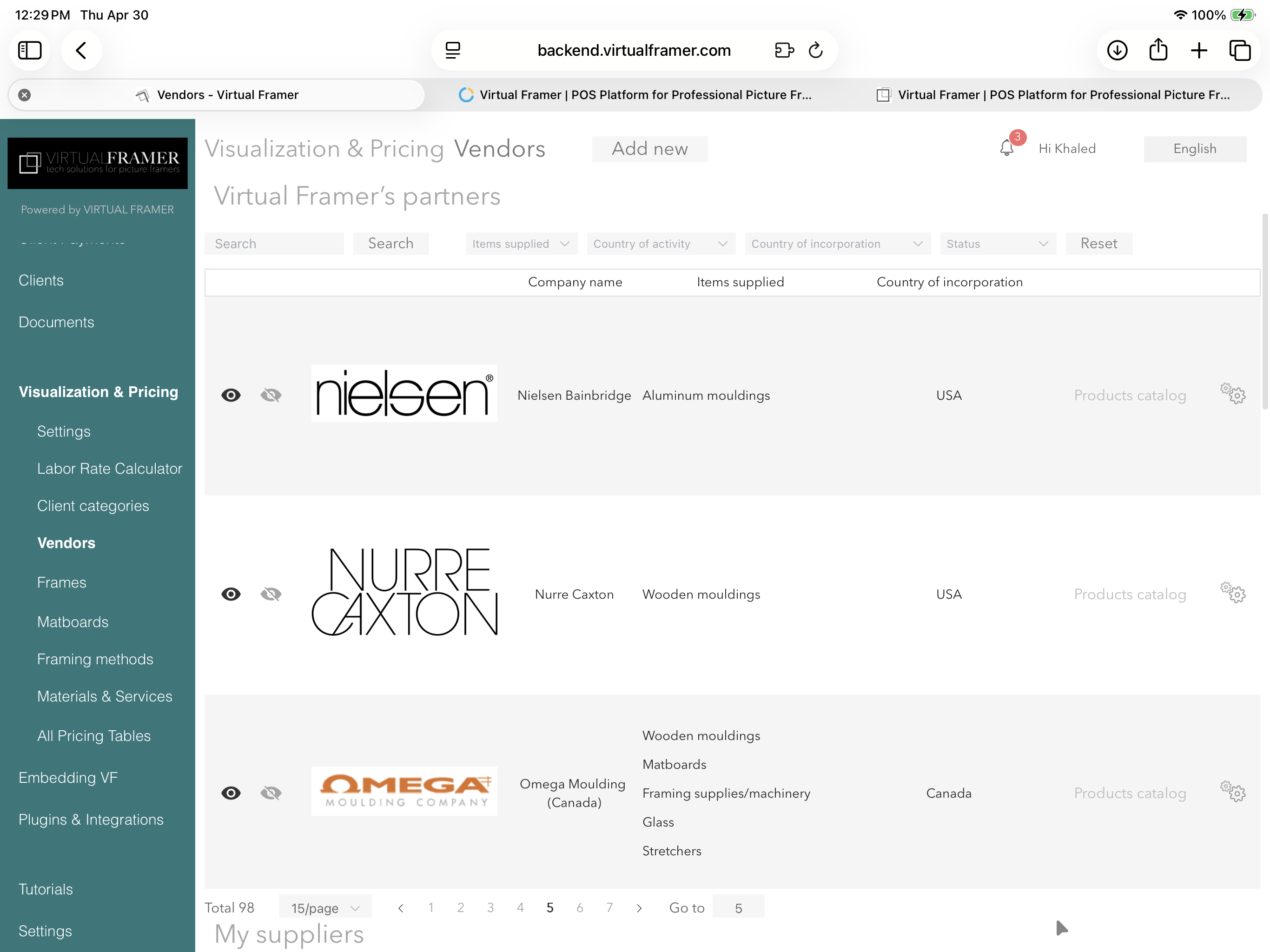
Which vendors are on Virtual Framer?
Virtual Framer maintains what is very likely the largest visual database of frames, mats, and fabrics in the framing industry. We work with most major moulding and matboard suppliers across our key markets:
- North America: most suppliers including Larson Juhl, Roma, Bella, Framerica, Crescent, Bainbridge, Omega, Decor, International Moulding, and many others.
- United Kingdom: Wessex, Lion, Larson Juhl UK, D&J Simons, Mainline, Nielsen UK, Centrado, Rose & Hollis, and others.
- Australia: Larson Juhl, Antons, APM/Champton, Partos, and others.
- New Zealand: Larson Juhl, Avon, Crawford, and Harrison Frames.
- South Africa: Supreme Moulding, Serame, and Lanco.
- Europe: a growing network of regional suppliers including Larson Juhl, Spagl, Mittermeier, CAMI, Molgra, Wohlleb, Delf, Lys de Provence, and many more.
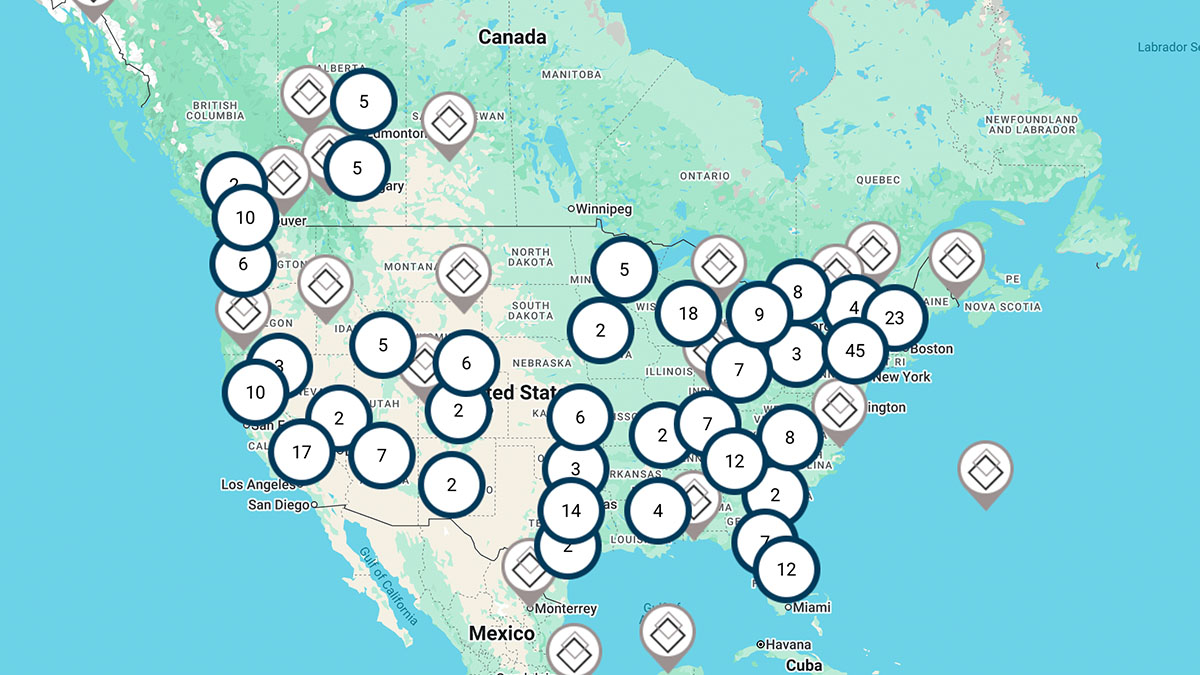
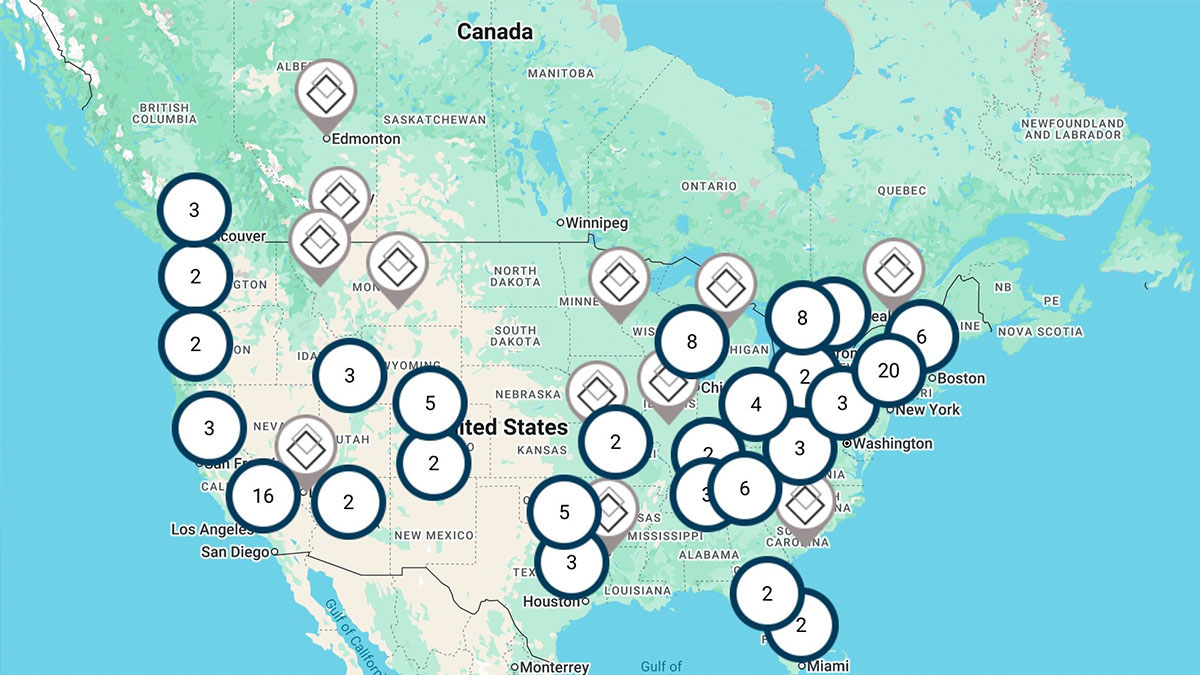
We add new vendors regularly. To see the full live list and search by country or zip code, visit our vendor map at https://tutorials.virtualframer.com/framer/find-vendors/?findVendors.
If a vendor you work with is not yet on Virtual Framer, let us know. We are always expanding our coverage, and many of our partnerships started with a request from a subscriber.
Can I upload my own frames to Virtual Framer?
Yes.
We will happily help you add your own frames to the app, and we offer two paths depending on your needs.
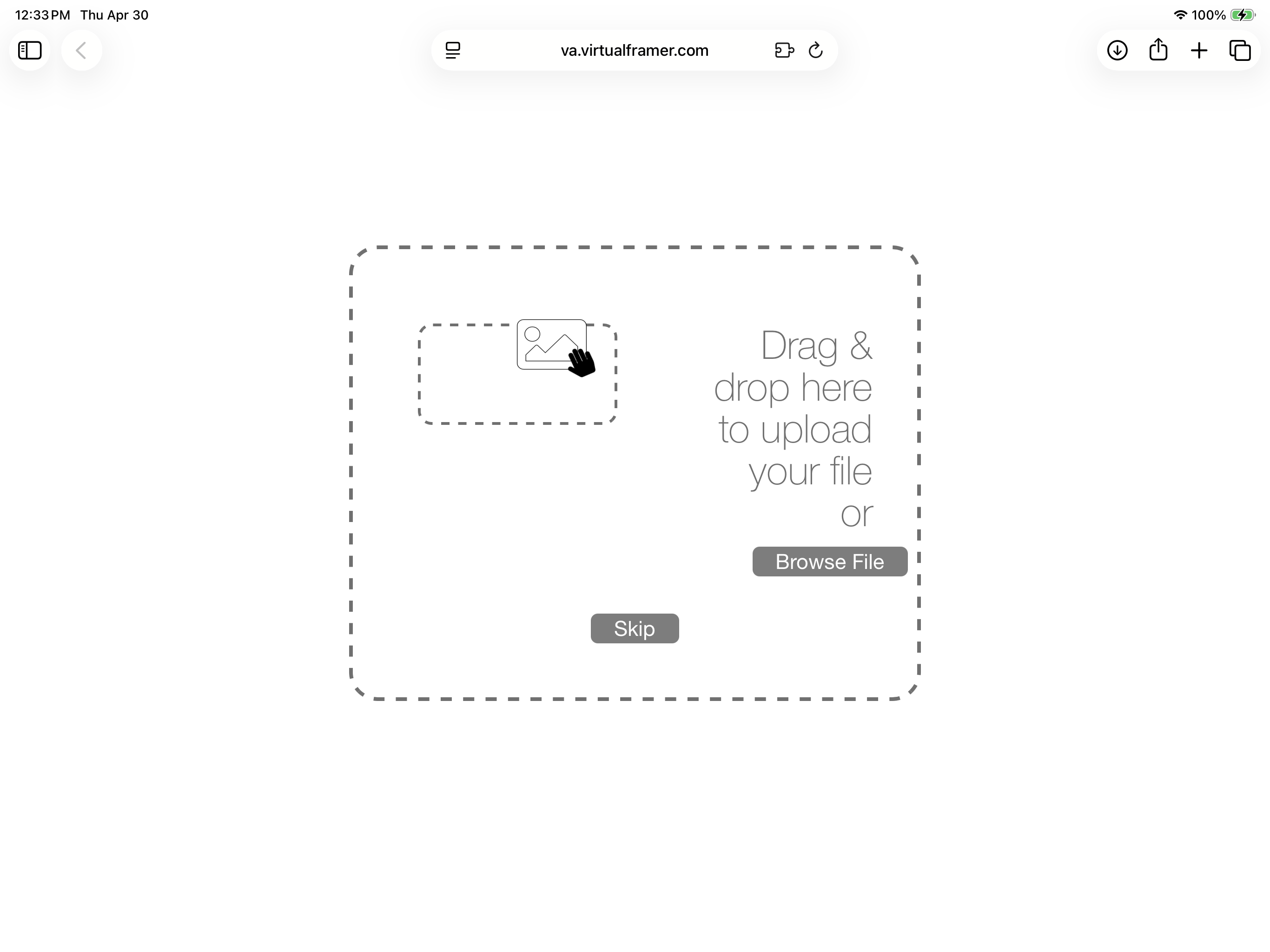
You already have photos of your frames. Send them to us with the relevant information (pricing, dimensions, supplier, etc.) and we will upload them to your account. There is no charge for uploading the images. If you prefer to upload the images yourself, we will share the photographic parameters required for visualization.
You need photography. Send us your physical samples and we will photograph them for you, including in 3D if you wish. Photography is charged at $250 USD per day. Our professionals typically photograph between 75 and 100 frames per day.
Prices are shown in US dollars for reference. Pricing in other currencies is adjusted by region. Please contact us for rates in your country.
Please note: any frames uploaded to your account are visible only on your account, not to other Virtual Framer subscribers.
What can I do if a vendor I use is not on Virtual Framer?
The easiest answer: tell your vendor they should be on Virtual Framer.
If you cannot reach them, send us their contact information and we will reach out on your behalf.
If time is of the essence, you have two other options:
Photograph the samples yourself. We will share the photographic parameters required for visualization and upload the images to your account.
Send us the physical samples. We will photograph them for you, including in 3D if you wish. Photography is charged at $250 USD per day. Our professionals typically photograph between 75 and 100 frames per day.
Prices are shown in US dollars for reference. Pricing in other currencies is adjusted by region. Please contact us for rates in your country.
Please note: any frames added through this process are visible only on your account, not to other Virtual Framer subscribers.
Do many framers use Virtual Framer?
The number is constantly growing. You can see who uses Virtual Framer here.
Do I need special equipment to use Virtual Framer?
Virtual Framer has two parts.
The customer-facing app, used to design and visualize projects with your clients, is a native app downloaded from the Apple App Store. It runs on iPad or on a Mac with an M-series chip, and does not run on Windows PCs or Android tablets. We chose the iPad as our primary device because it offers the most comfortable and natural experience when working side by side with a client at the counter or at the client's place.
The backend, used to manage your workshop, orders, inventory, purchase orders, and reporting, is web based. You can access it from any device with a browser, including Windows PCs, Macs, iPads, and Android tablets.
So the iPad is only required for the customer-facing part of the work. If you already have a desktop computer in your back office, you can keep using it for everything backend-related.
For the iPad, any model recent enough to run iOS 15 or later will work. Screen size matters, so we recommend avoiding the iPad mini. Adding a keyboard and, if possible, a trackpad will make for a better user experience.
Our ideal setup is a 13-inch iPad Air with 128 GB of storage and a SIM card, paired with the Magic Keyboard.
For the production floor, Virtual Workshop is a web-based companion to the backend, designed for phones, that lets your workshop staff track jobs from any iPhone or Android device.
The Guest version of Virtual Framer is a simpler version that does not include many of the features available to your account. If you grant Guest access to a client, they will be able to use it on any device.
When you embed Virtual Framer in your own website, your customers can use the visualizer on any device, including phones, tablets, and computers, regardless of operating system.
How often do you update vendor's prices, discontinued items and new collections?
When a vendor notifies us of a price change, an out-of-stock item, a discontinued line, or a new collection, we update our database immediately with the information they provide.
Vendors typically send price updates to all POS systems on a regular cycle, though some are more diligent than others. You can always see the date of the last price update for every frame and matboard directly in Virtual Framer.
There is nothing to download, sync, or refresh on your end when prices are updated.
Can I embed Virtual Framer in my website?
Yes, and you can choose between two ways to do it.
Basic embedding. This is the simplest option and requires almost no setup. With just a few clicks in the backend, you generate a link you can embed in your website. Your clients can then select a frame, choose a framing method, make their own adjustments, compare options, and send you a quote request directly from your site.
Embedding with the Design Vault. This is a far more powerful option. Once you have trained the Design Vault on your own framing style, embedding it on your website means your clients are guided through a tailored framing experience based on your expertise. They upload their artwork and indicate the artwork type, its size, and whether it is very valuable, moderately valuable, or inexpensive. The Design Vault then suggests complete framing designs you have approved, including frame, mat, glazing, and all the materials. Your clients can refine the proposal and request a quote, all without any staff involvement, 24/7.
Privacy and control. Whichever option you choose, you stay in full control of what your visitors see:
- You decide whether or not to display prices.
- You can hide the real frame style numbers by showing random references instead. These references are uniquely generated for your account and can only be deciphered by you. No other framer, not even another Virtual Framer user, can identify a frame from a random reference generated by your account.
- Users who connect to your account cannot see which vendors supply the frames you are sharing.
This means you can give your clients a rich online experience without exposing your suppliers, your pricing structure, or your sourcing strategy.
I have been using another POS system for many years. Can I transfer my client and order history to Virtual Framer?
Yes, depending on the software you have been using. In most cases, we can transfer your clients, payment history, invoices, and work order history into Virtual Framer.
Data transfer is typically charged at $500 USD. Contact us for a quote.
Can my staff and I use Virtual Framer simultaneously?
Yes.
Staff accounts are automatically connected to the master account, so you and your team can use Virtual Framer simultaneously on separate devices without any issue. What makes this especially powerful is that any project created on any device, and from any location, is immediately accessible on all other devices connected to your account.
Can I track my moulding inventory through Virtual Framer?
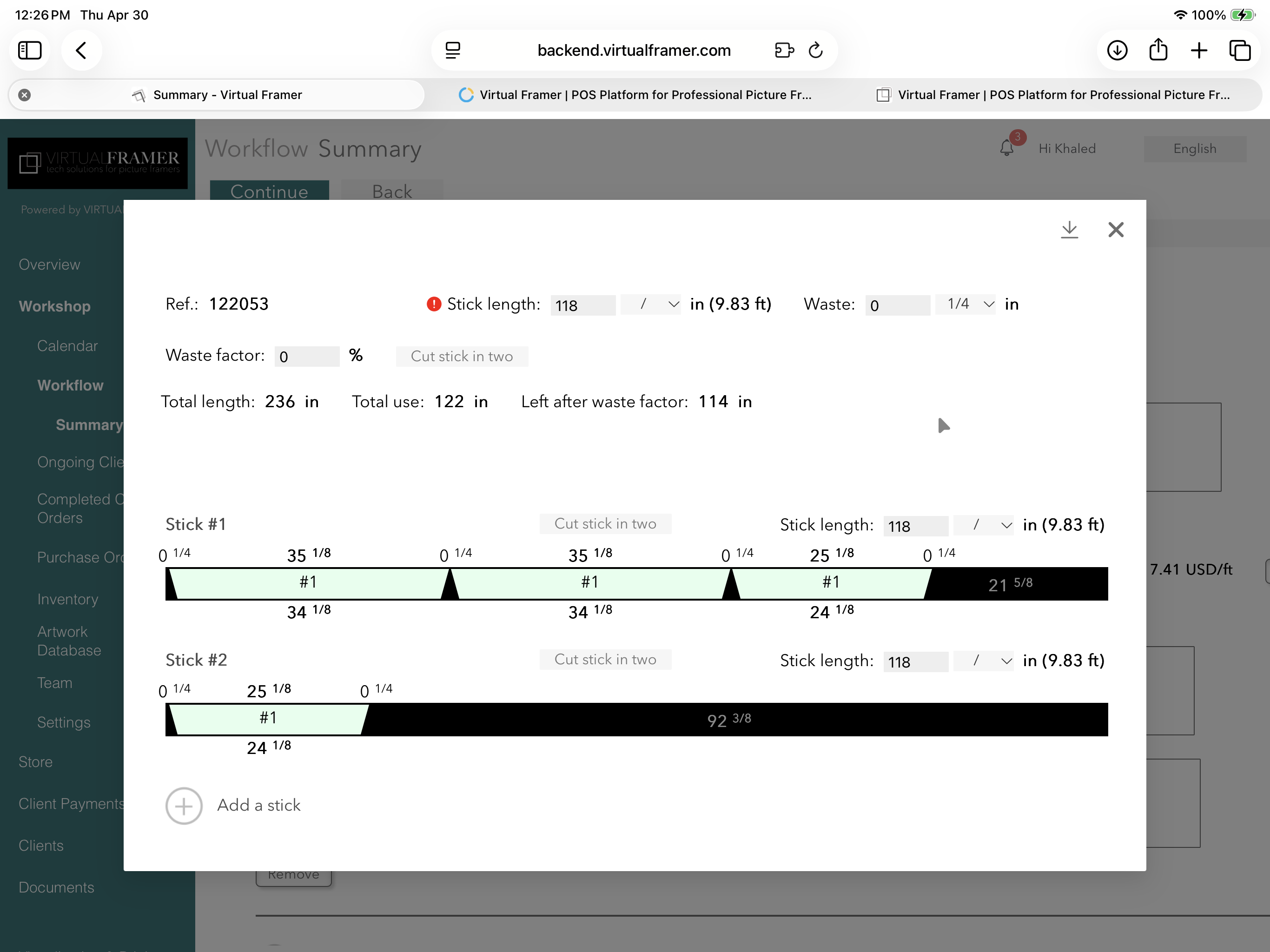
Yes. Once you have entered your mouldings into the system, Virtual Framer tracks your inventory and usage automatically. Whenever you take an order using an in-stock moulding, Virtual Framer subtracts the correct quantity from your inventory levels and generates an optimal cut list.
Is Virtual Framer a POS (Point of Sale) System?
Yes. Virtual Framer handles all the tasks you would expect from a POS, and goes well beyond what most framing POS systems offer.
You can also accept online payments through Stripe directly from Virtual Framer. More payment options are coming in the next few months.
Does Virtual Framer have a calendar to manage Orders and Workflow?
Yes. Every confirmed order is automatically added to your in-app Virtual Framer calendar. You can access this calendar from the backend or from your phone through Virtual Workshop.
What is Virtual Workshop?
Virtual Workshop is a streamlined version of the Virtual Framer backend, designed for easy access by your staff while they are working in the workshop. It can be used from a phone or a tablet.
Virtual Workshop gives your team access to the calendar, the workflow summary, every work order, the artworks database, and all purchase orders. It can be used to update artwork locations and upload artwork images.
Does Virtual Framer offer Financial Reports?
Yes. Daily reports include pending invoices, payments, allocations, open invoices with unpaid balances, confirmed orders, and cost breakdowns, among others.
Monthly reports include more comprehensive versions of all the above, plus tax reports. You can also view your month-by-month revenue, with comparisons to the previous year, as well as moulding usage and client activity, including the proportion of new clients each month.
Can a framer receive payments online using VF?
Yes. Virtual Framer is currently integrated with Stripe. Once you open a Stripe account, your clients can pay you online directly through Virtual Framer. More widely used payment systems are coming soon.
What sets Virtual Framer apart from other POS systems?
The biggest difference is the philosophy behind the product. Virtual Framer does everything you would expect from a strong POS system, but it was built to go further and actively help framers sell more. Most other POS systems in the framing industry are designed primarily to help framers manage what they already sell.
Several features reflect this. The visualizer, Virtual Framer's most recognizable feature, helps framers close deals more easily, upsell frames, and design with frames they do not have in stock, with over 200,000 mouldings available and counting. It can also be embedded directly on the framer's website.
The Proposal feature is another way Virtual Framer helps framers close more deals. Instead of sending clients a plain quote, framers can send a visual proposal that shows the artwork in each design option, side by side, so clients can see exactly what they are choosing between before making a decision.
The Design Vault is unique to Virtual Framer. It allows framers to train a design assistant on their own framing style, similar to training a new employee. The Design Vault can be used in store with clients or embedded on a framer's website, where it guides visitors through a tailored framing experience based on the framer's expertise.
Beyond sales, Virtual Framer also offers what we believe is the most accurate pricing engine in the framing industry, along with workflow and project management tools designed specifically for the way frame shops operate.
More broadly, Virtual Framer was designed by framers, for framers. The platform is updated regularly with new features specific to the framing industry, and we are committed to continuing in that direction.
The best tool in any craft is rarely the cheapest. Virtual Framer is the premium option on the market. It is also the most rewarding financially.
Contact us